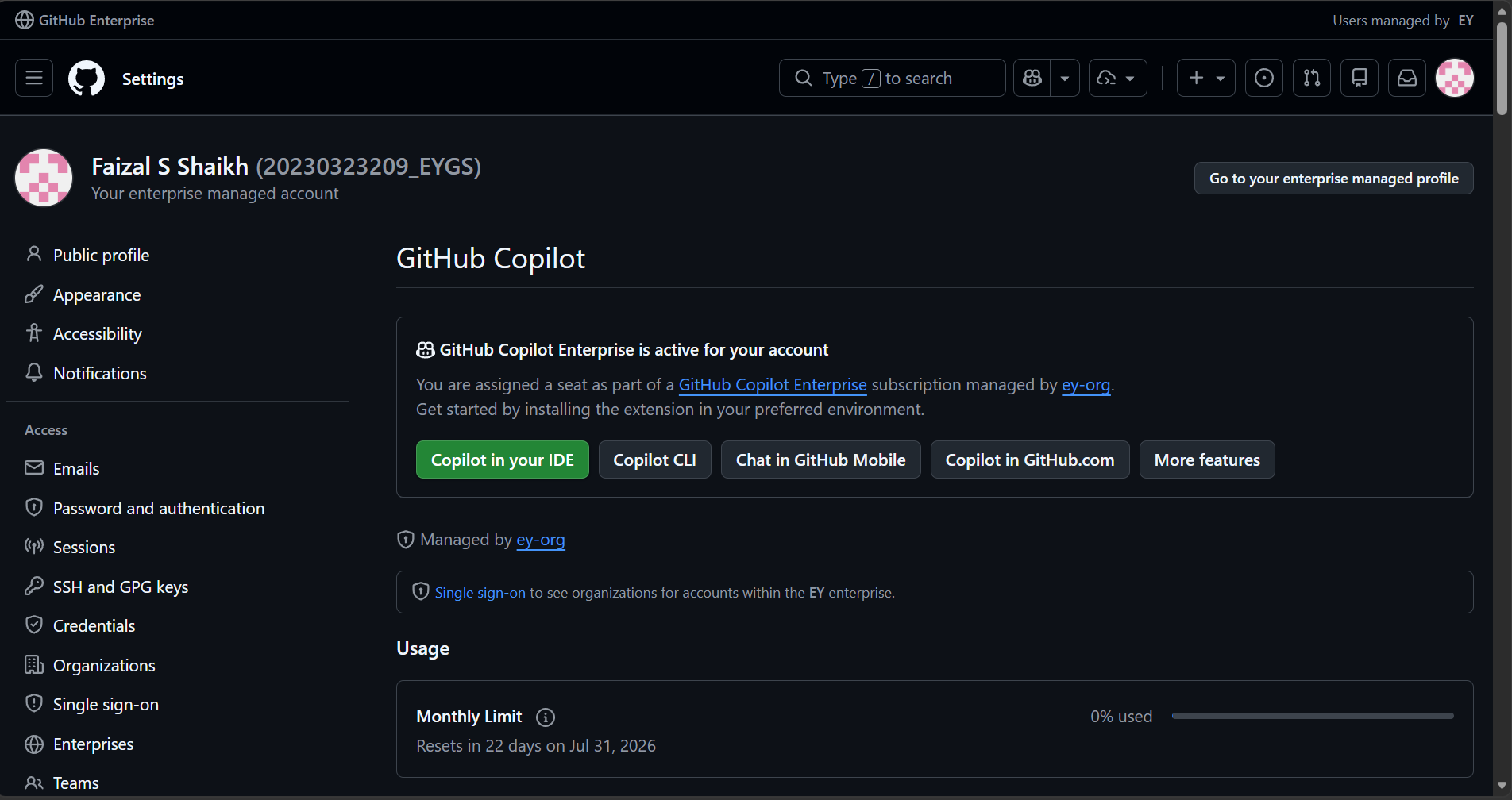
Instructions to request Enterprise GitHub Copilot Access
PREREQUISITE: A EY GitHub Enterprise account is required for raising Copilot access. The step for requesting and validating GitHub Enterprise account can be found at 'GitHub Enterprise Access' page
LINK: Fabric Catalog | EY Fabric
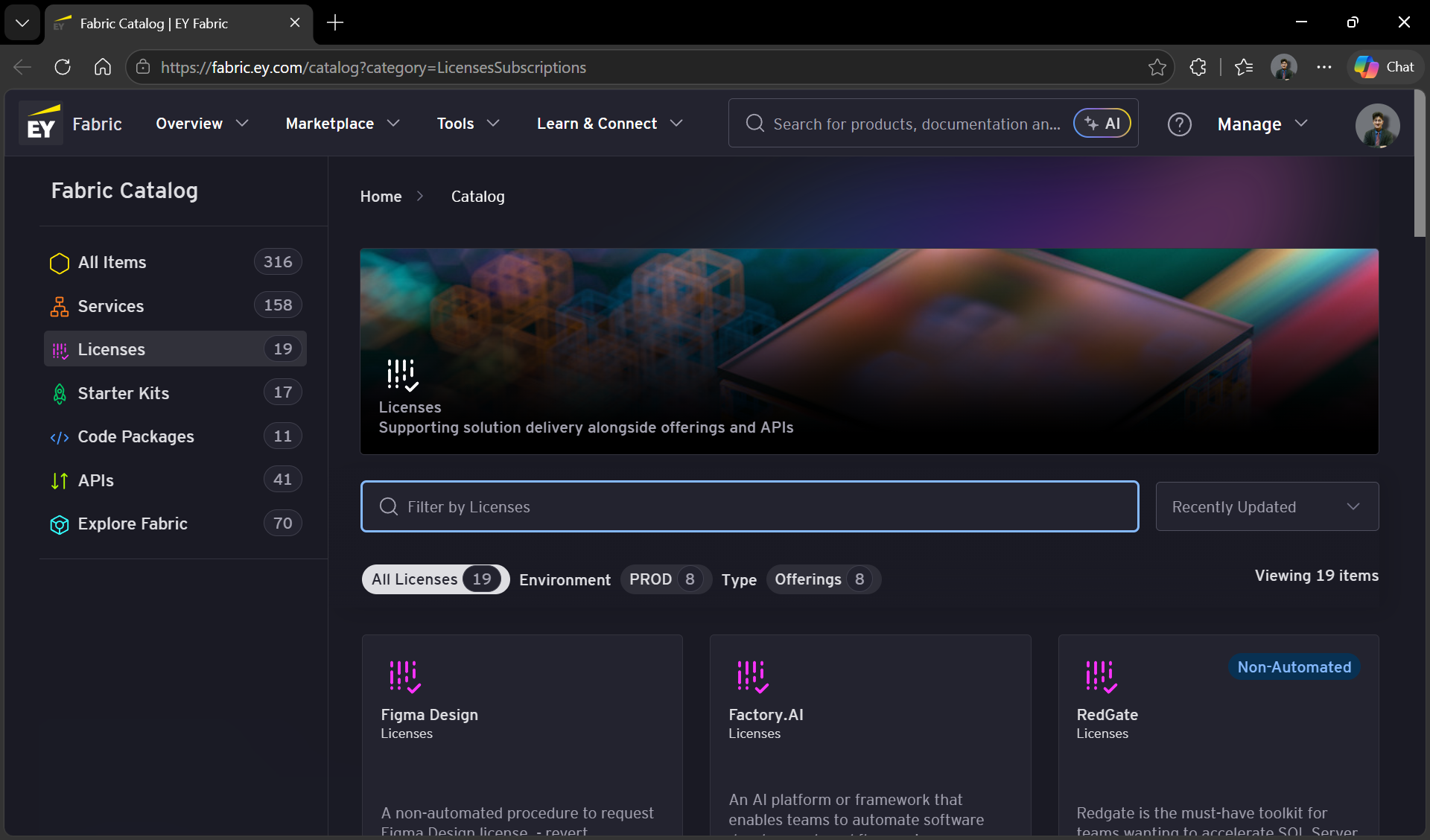
Scroll down to view Github Copilot License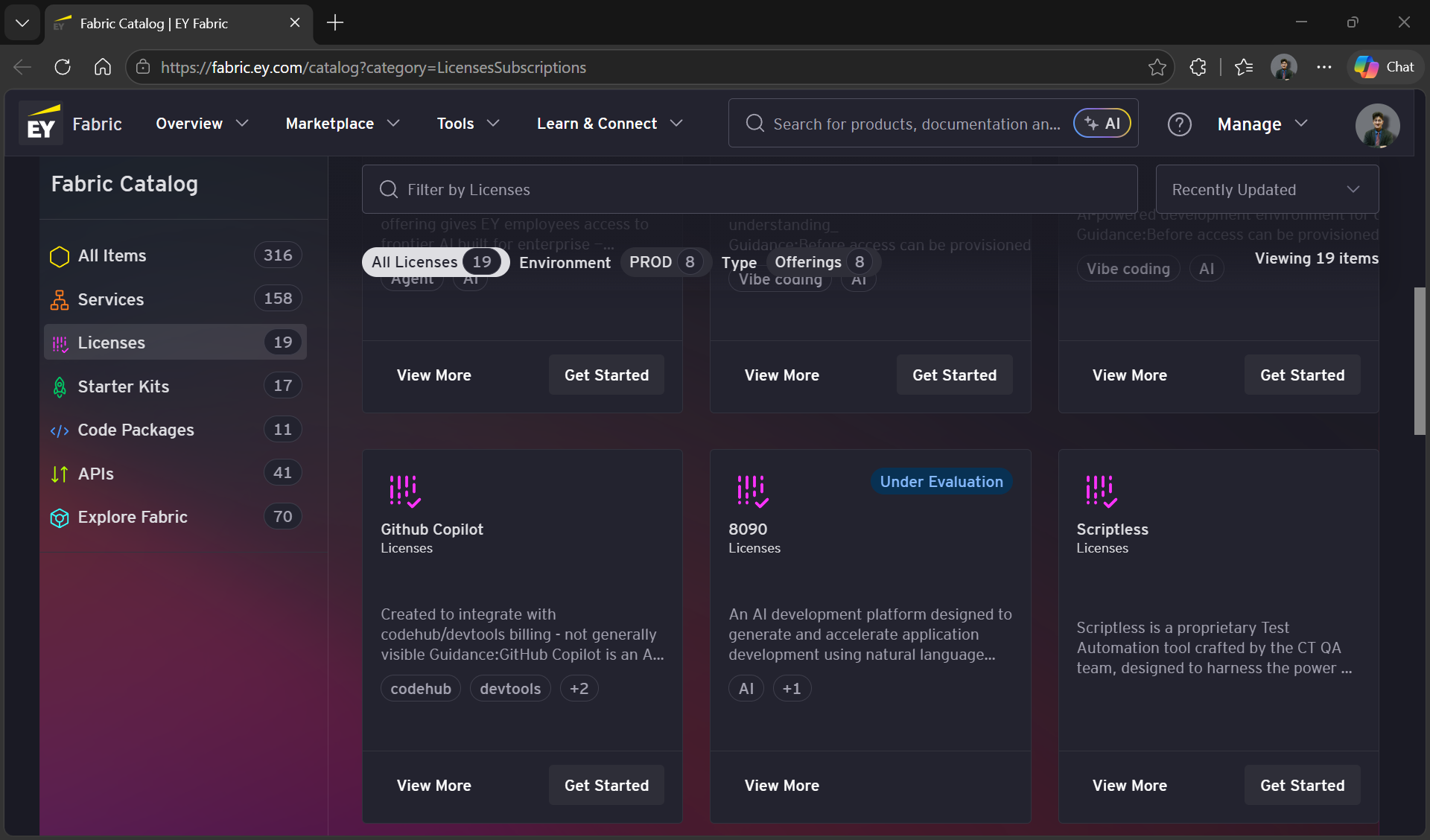
Click on the ‘Get Started` Button at the bottom of the card. This should open the `License Tool' page in a new tab
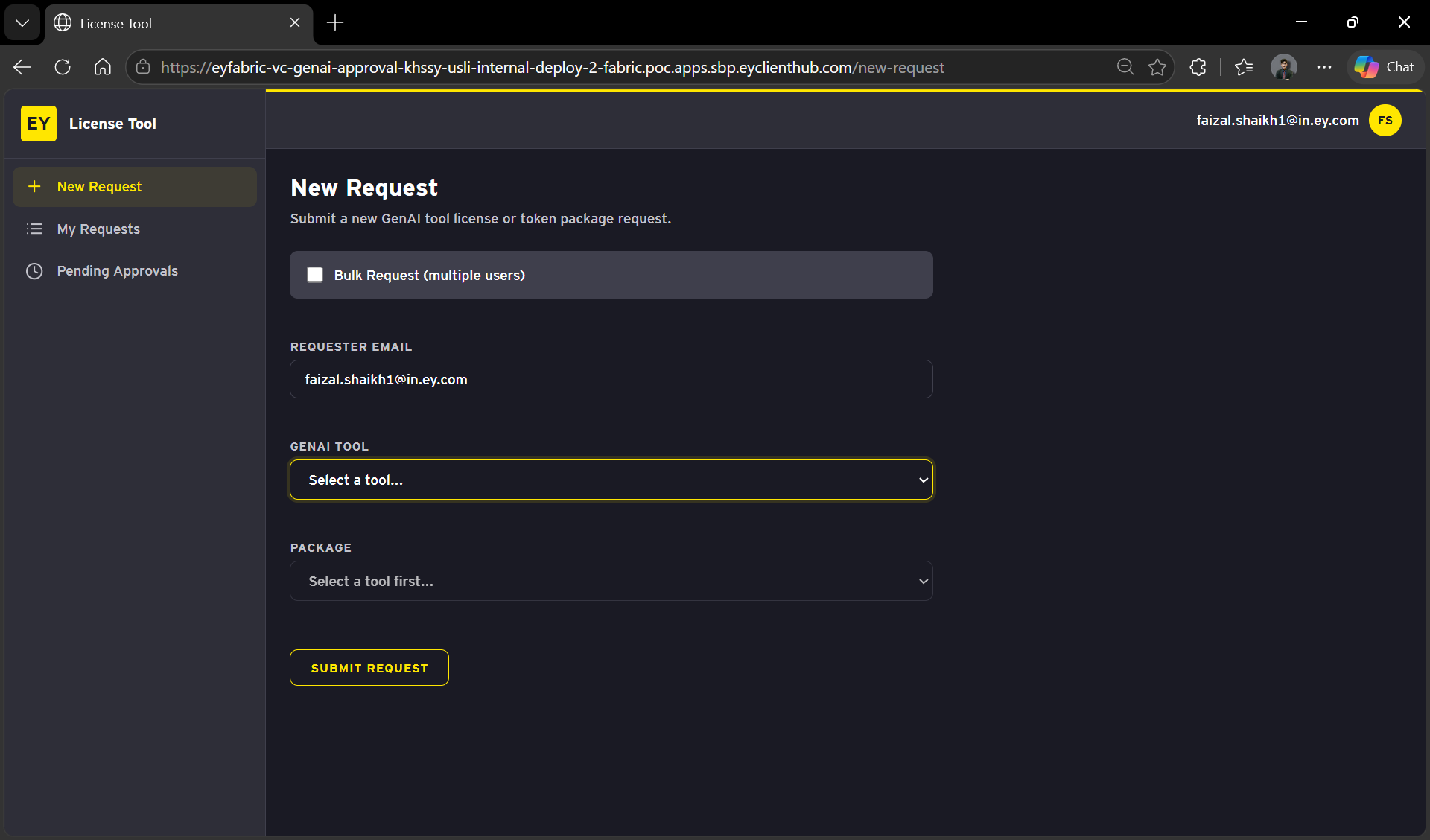
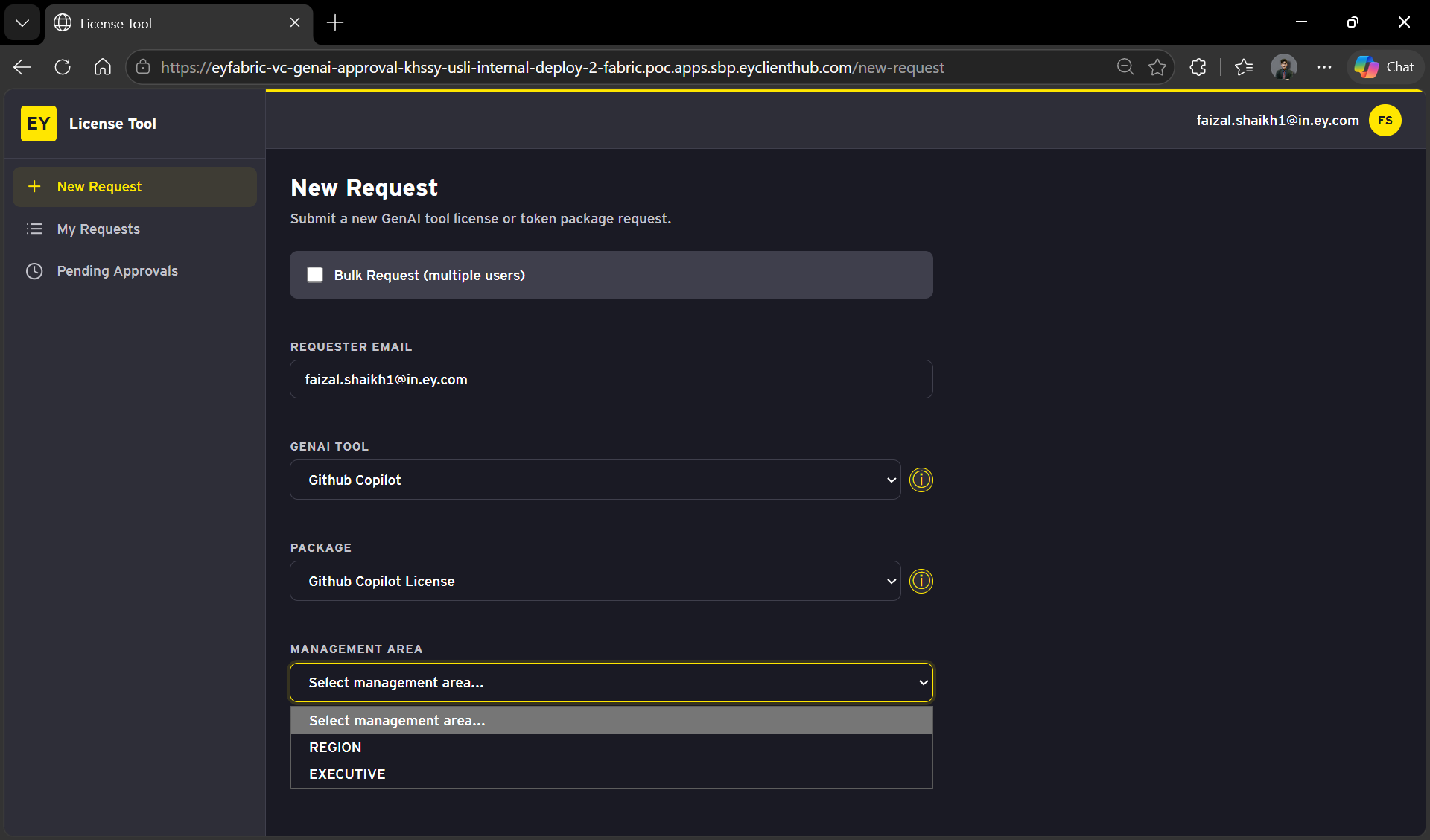
Select Github Copilot From the GenAI tool dropdown
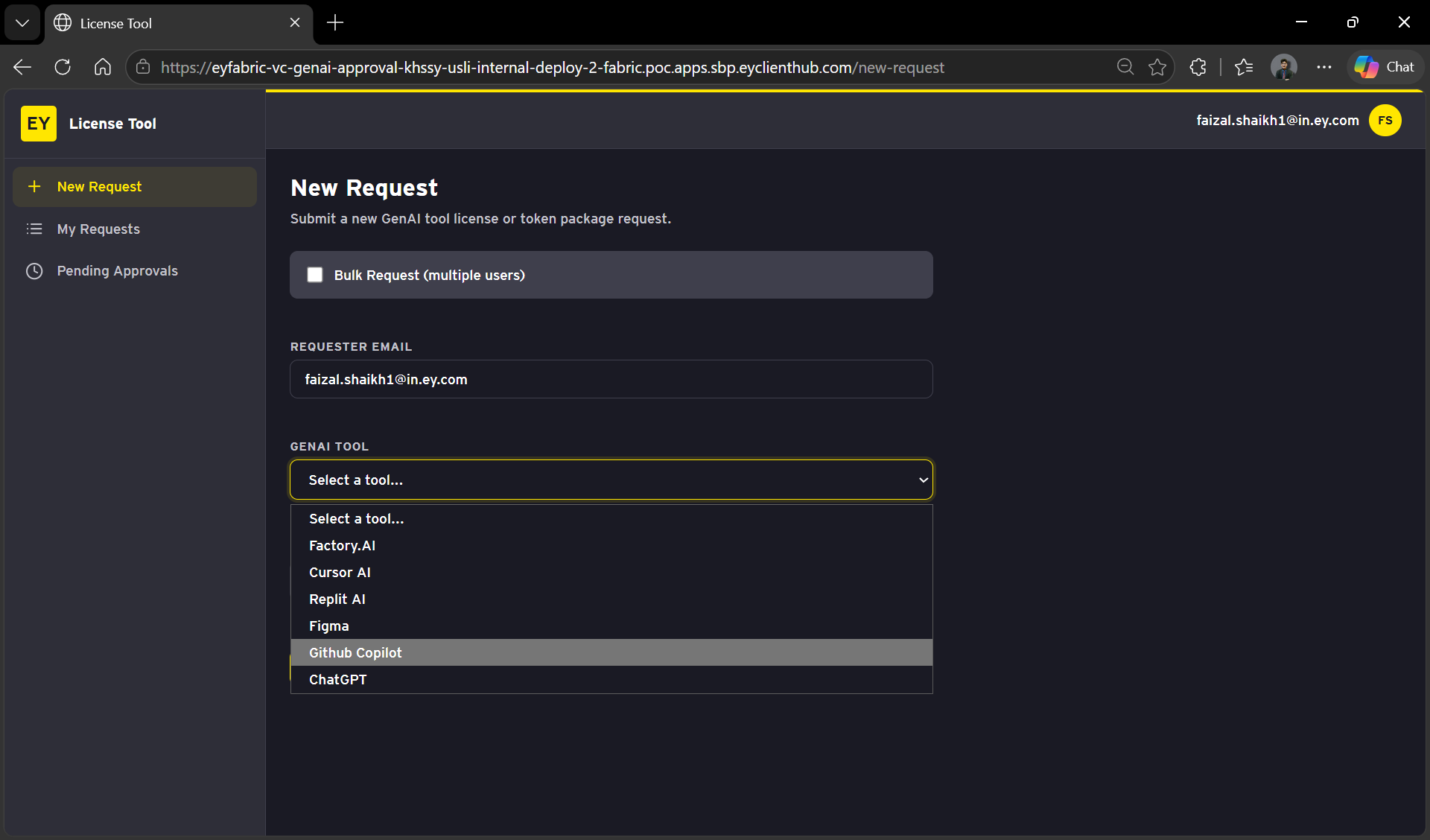
Select Github Copilot License From the package
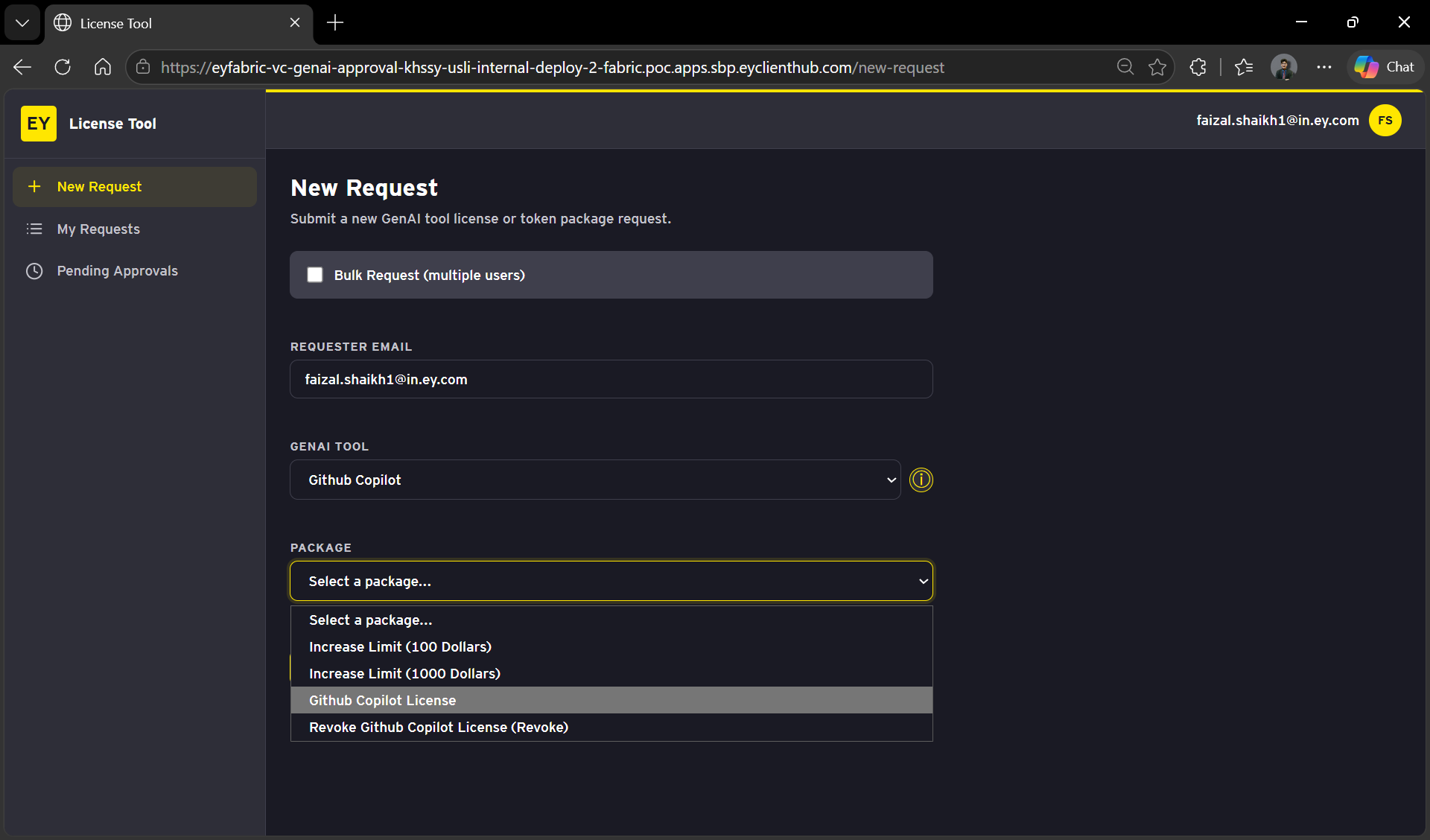
Select Your Management Area from the options below
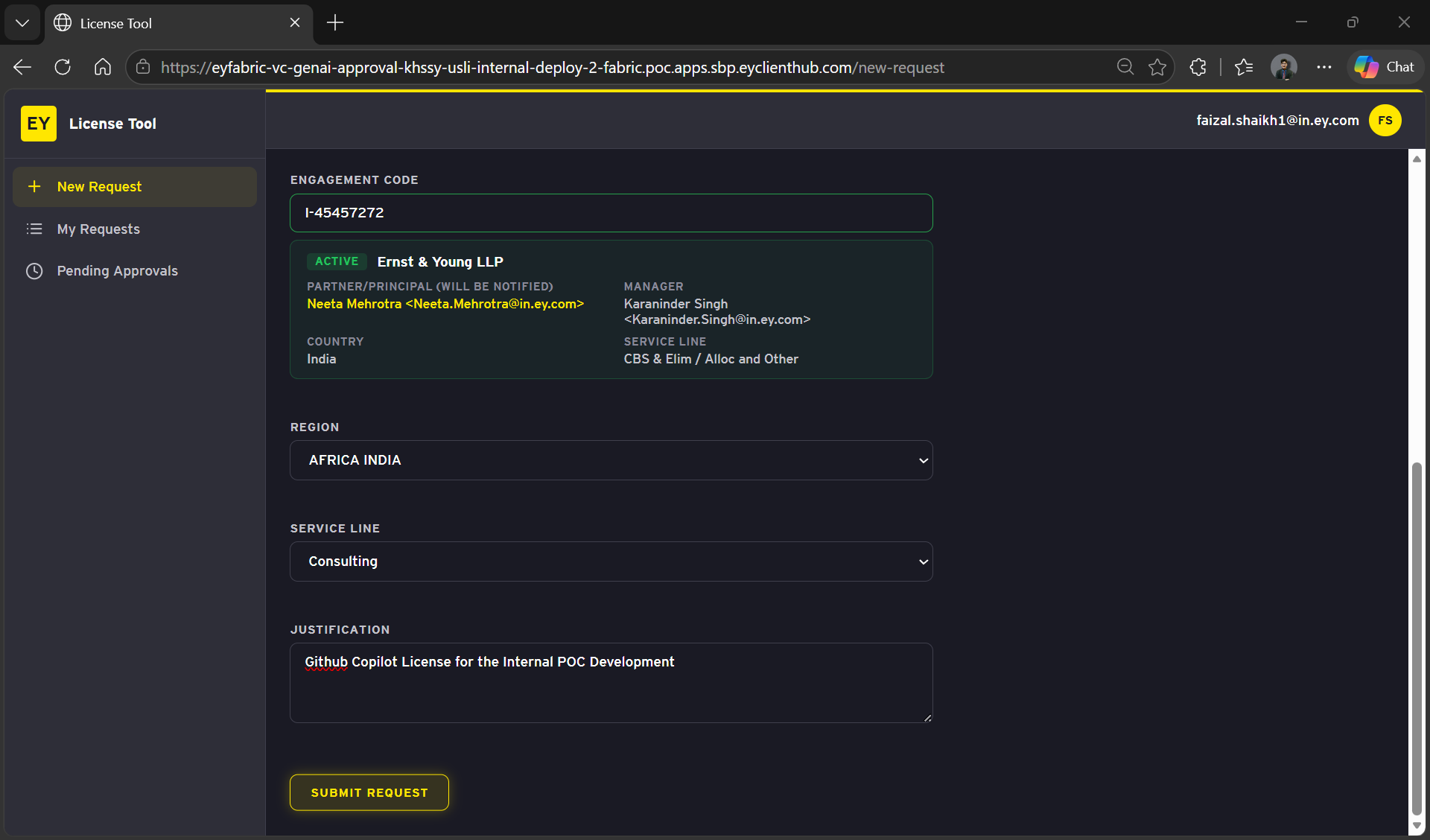
After selecting the area, you will be prompted to enter additional details.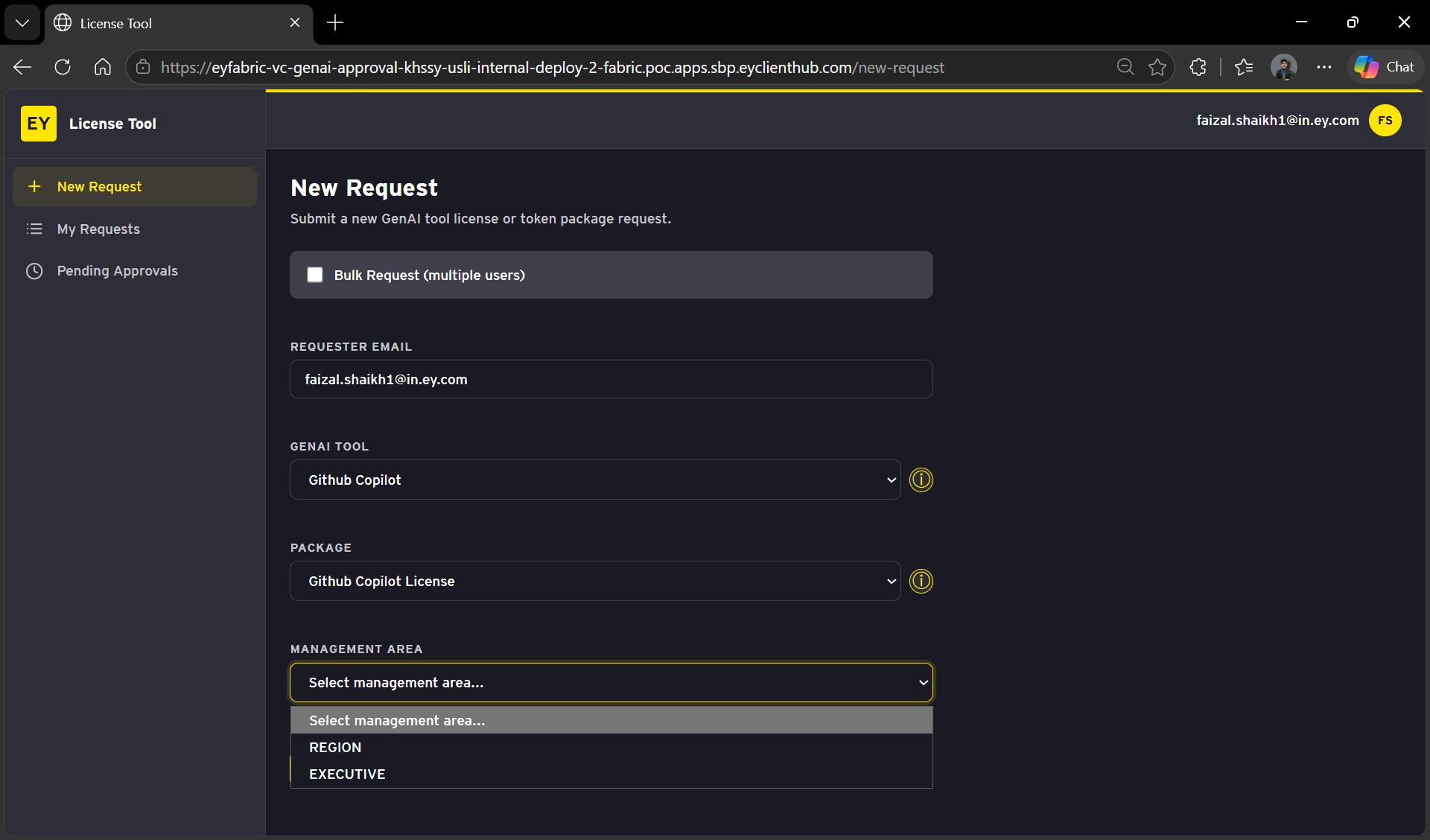
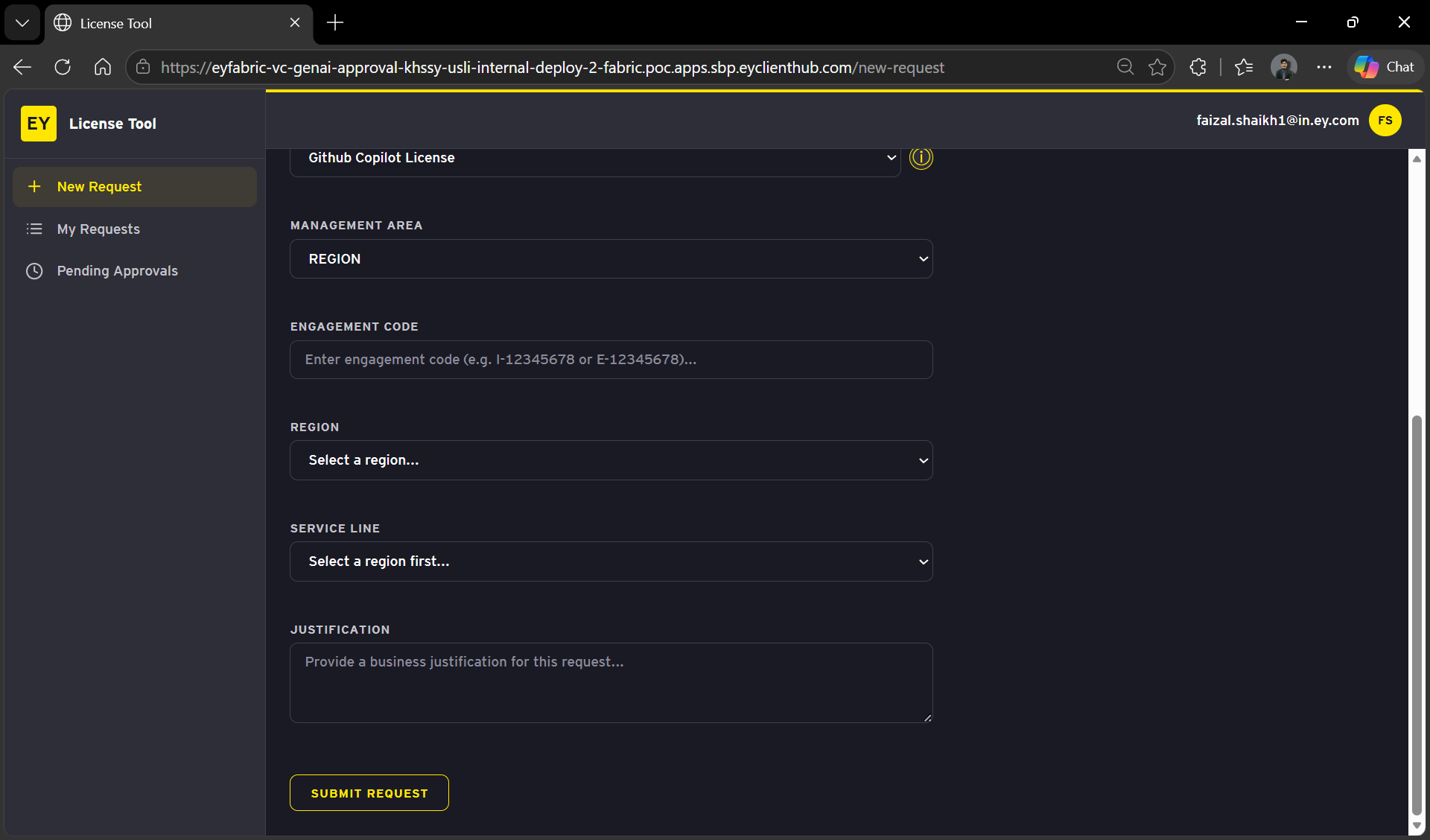
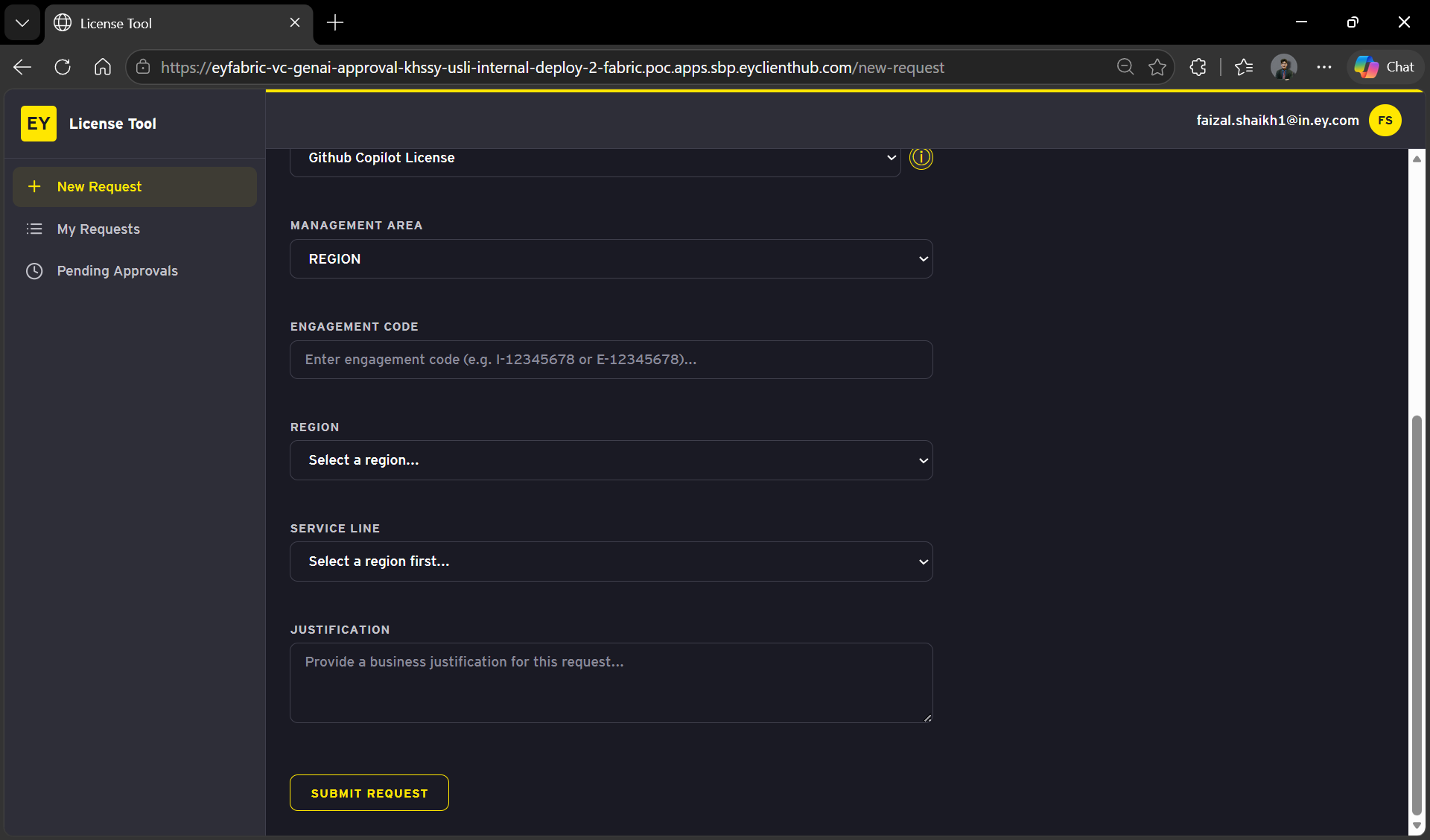
Enter the required fields:
- Engagement Code
- Region
- Service Line
- Business Justification
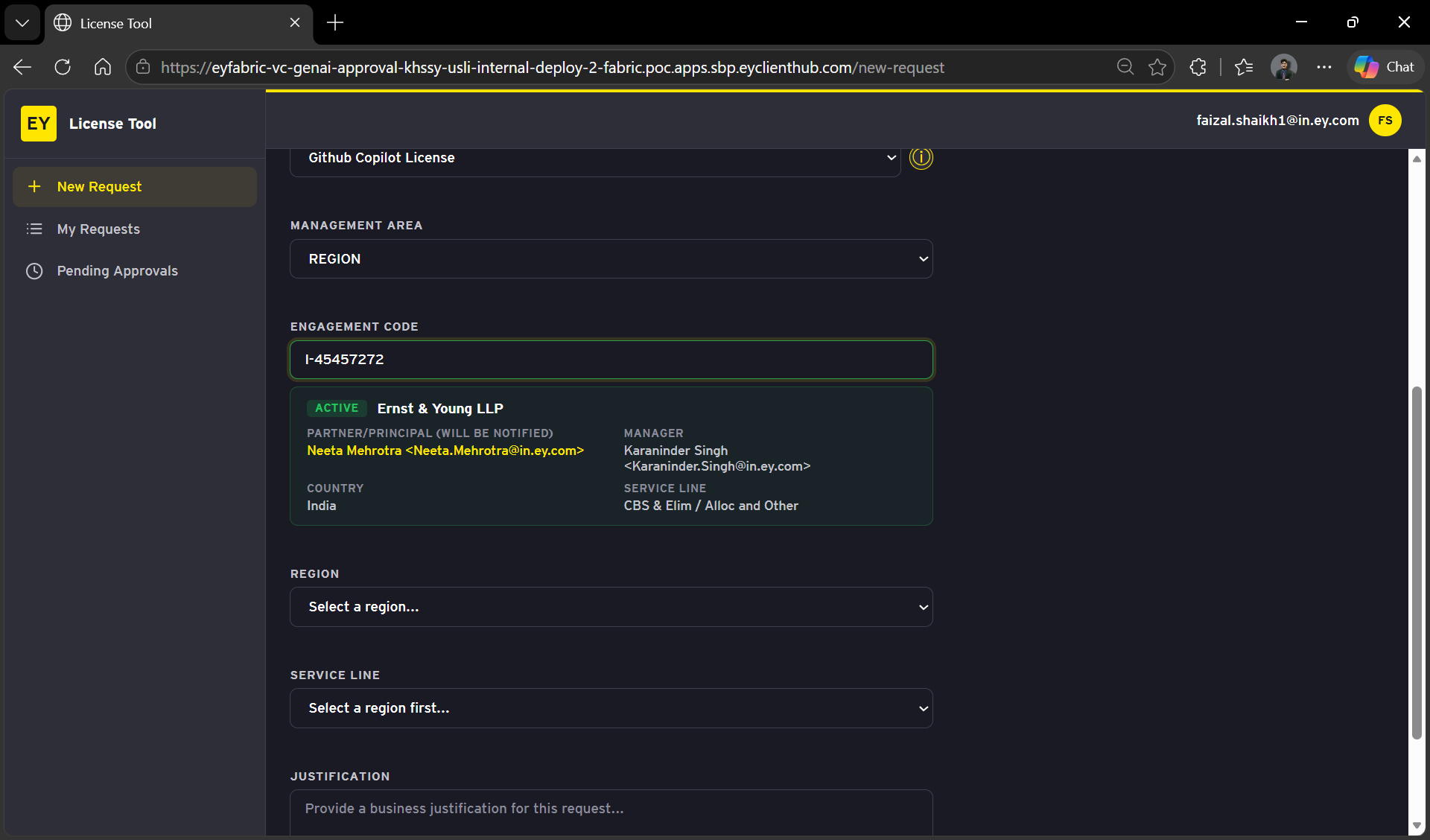
NOTE: A valid billing project with an Engagement Code is required for GitHub Copilot access
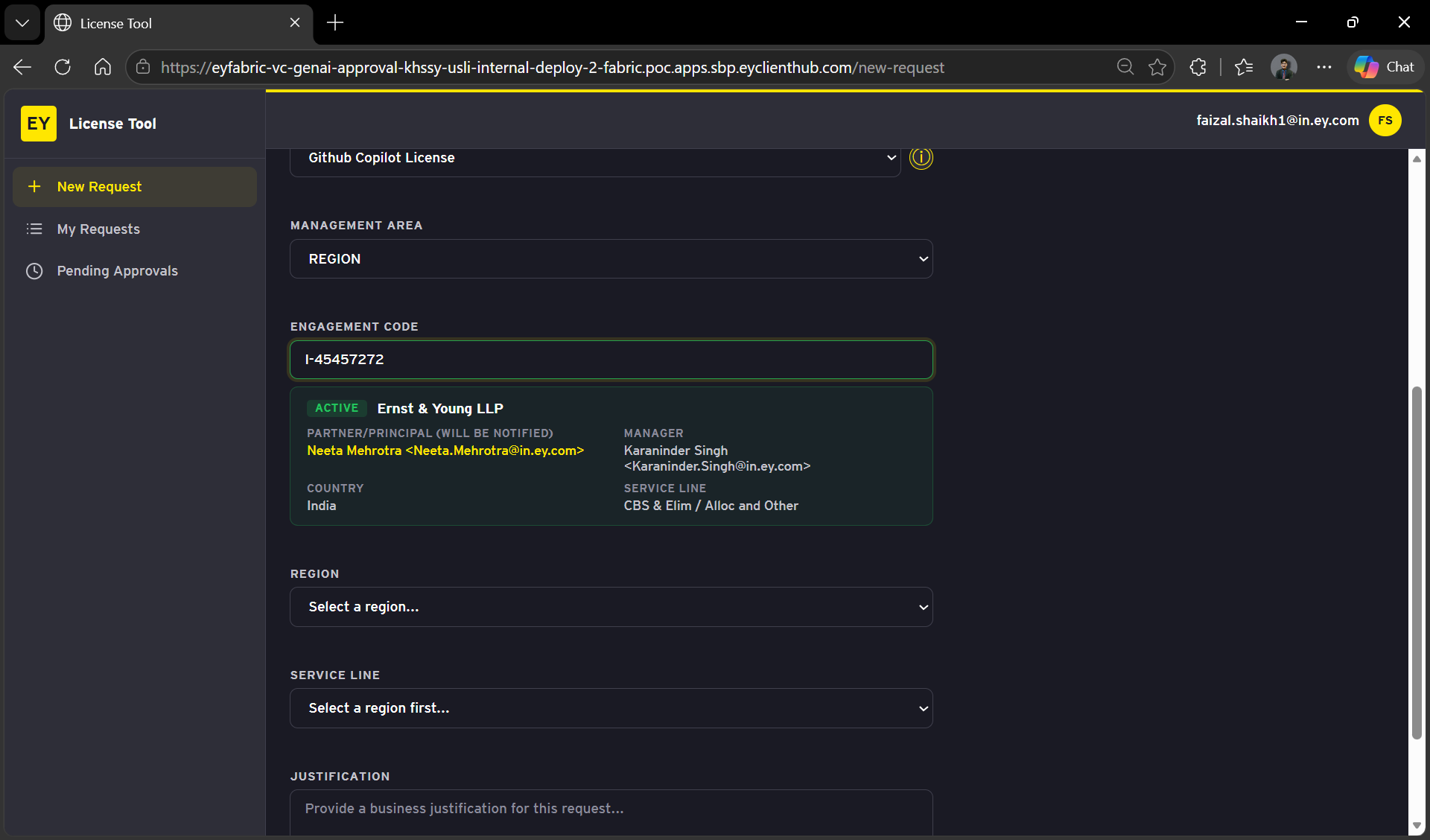
DISCLAIMER: Please use your own project code for requesting GitHub Copilot access.
Review the information and proceed with by Clicking `Submit Request`.
Track Request Status
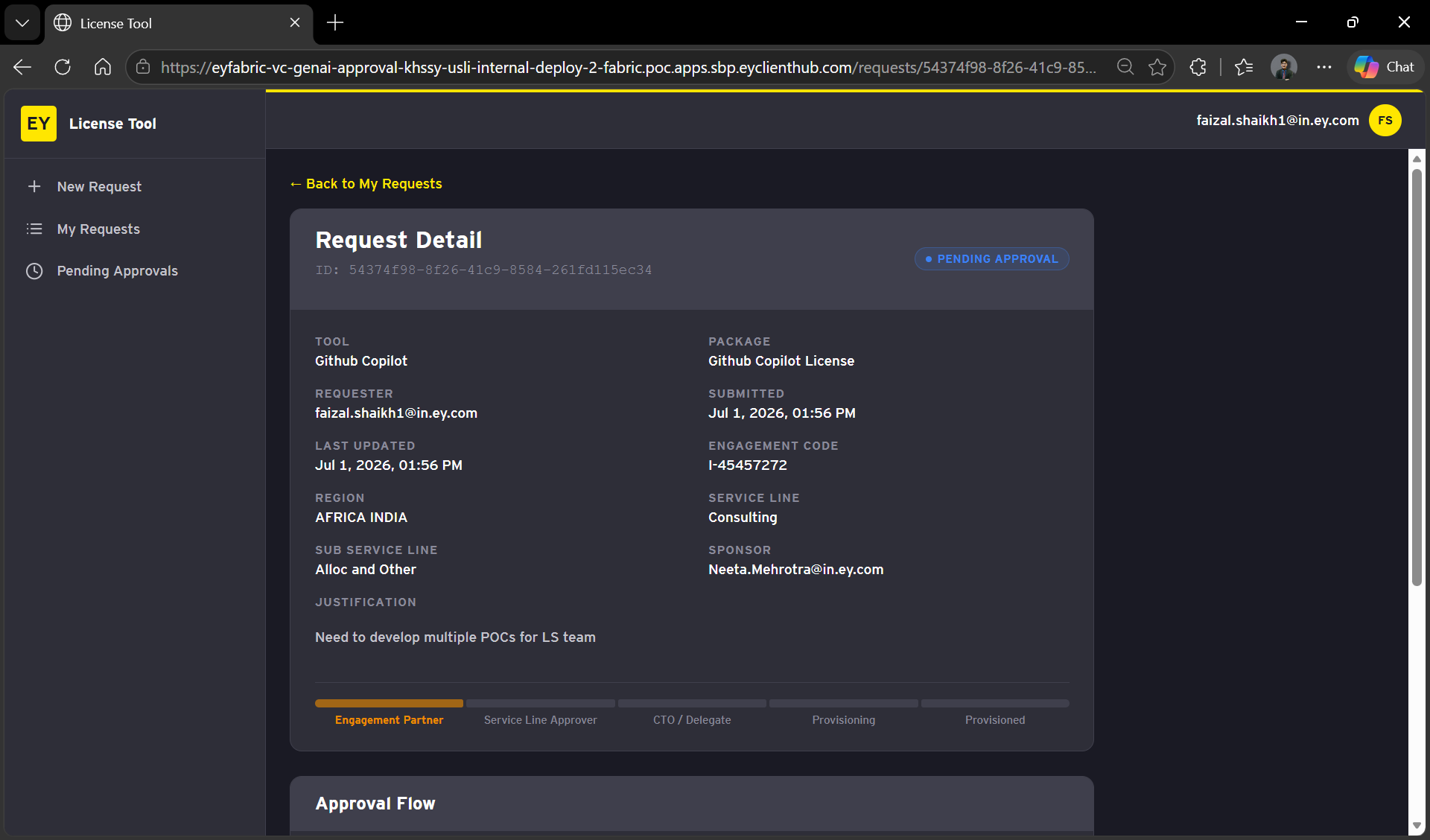
After you submit the request, it will appear under My Requests.
Wait for the access to be provisioned
Post requesting access to GitHub copilot, the access provisioning usually gets completed within 10-15 minutes but in worse case scenario it might take 45 minutes as well.
Verify GitHub Copilot Access
To verify if the GitHub Copilot access has been provided, navigate to the following link:
LINK: https://github.com/settings/copilot/features
User should be able to login using the EY Single Sign-On (SSO)
If the page mentions 'GitHub Copilot Enterprise is active for your account' then the enterprise access has been provided for your account.