Instructions to request Enterprise GitHub Copilot Access
PREREQUISITE: A EY GitHub Enterprise account is required for raising Copilot access. The step for requesting and validating GitHub Enterprise account can be found at 'GitHub Enterprise Access' page
LINK: GitHubFabric EMUCatalog Offering| EY Fabric
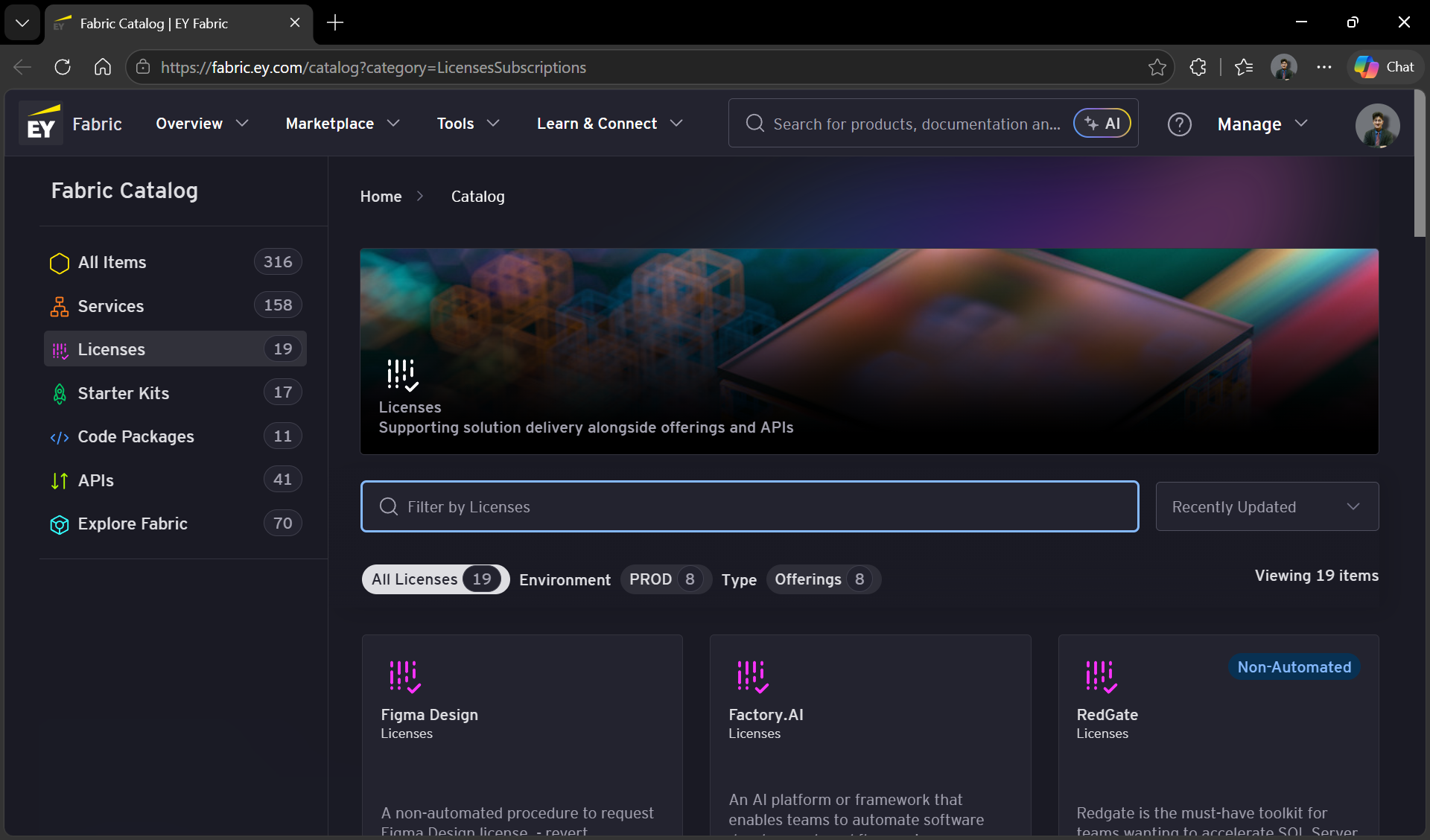
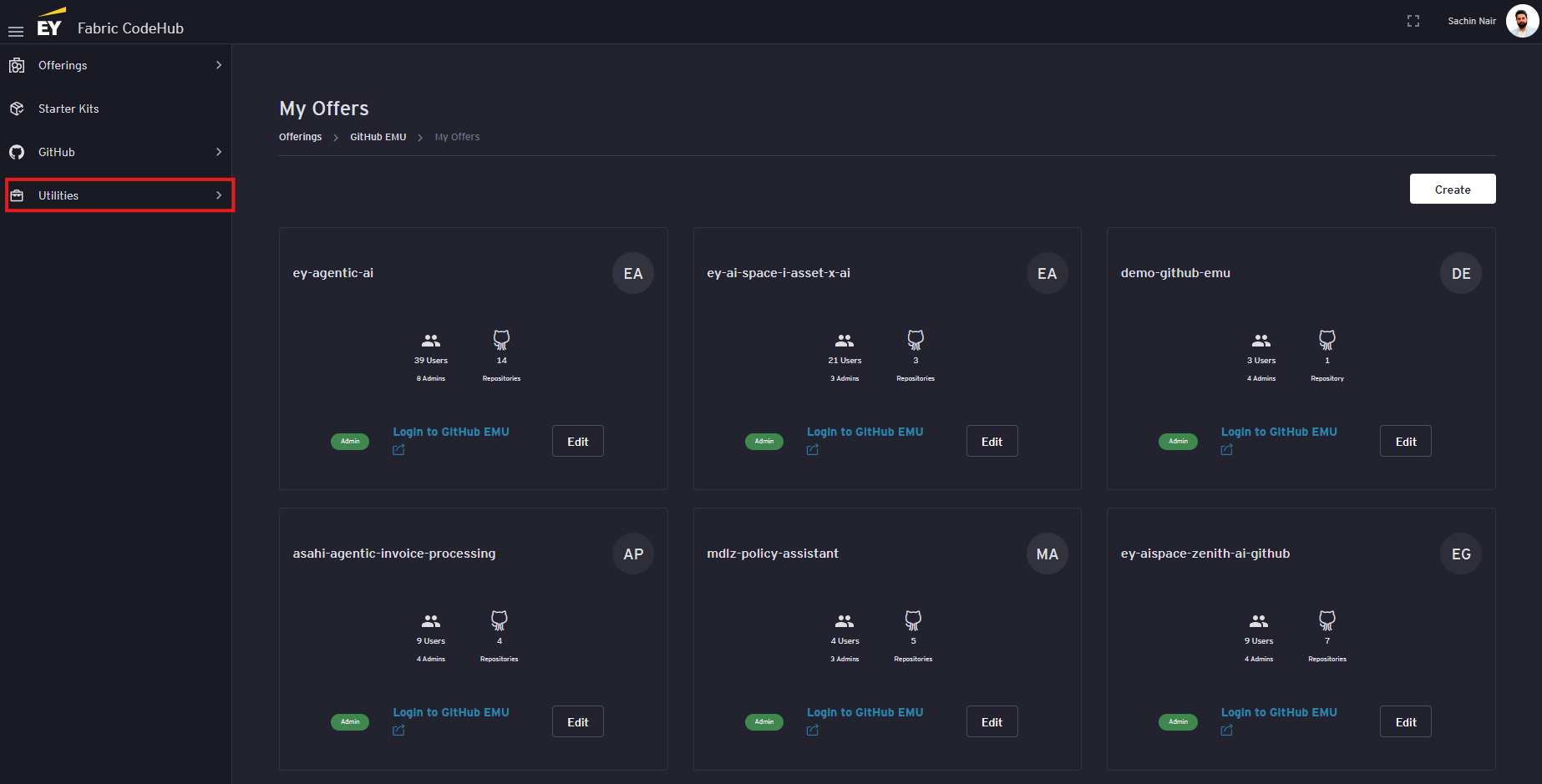
Expand the ‘Utilities’ section by clicking on ‘Utilities’ dropScroll down onto theview leftGithub sideCopilot License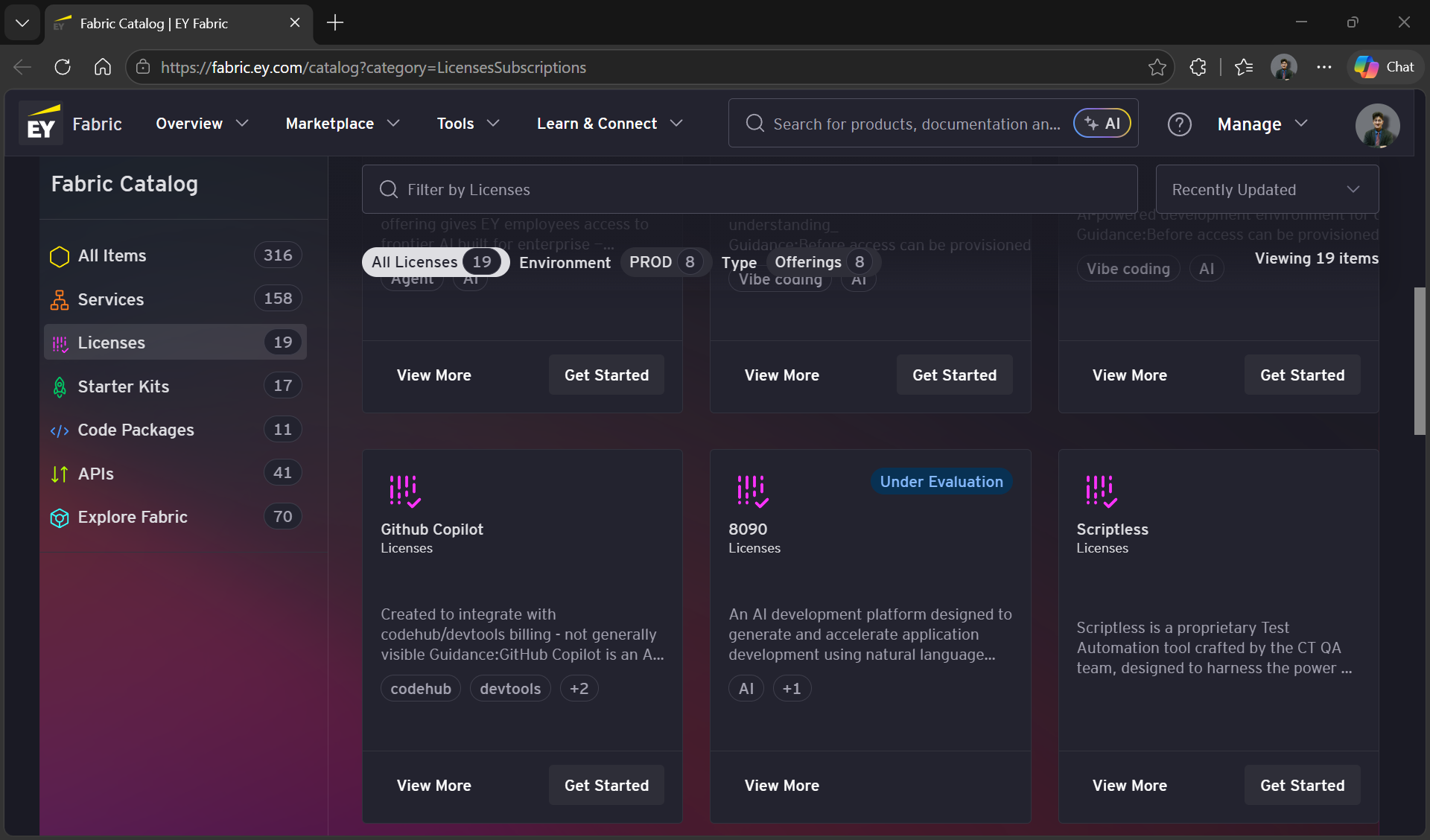
Click on the ‘GitHubGet CopilotStarted` License’Button tab underat the ‘Utilities’bottom section.of the card. This should open the 'Developer Tools - `License Manager'Tool' page in a new tab
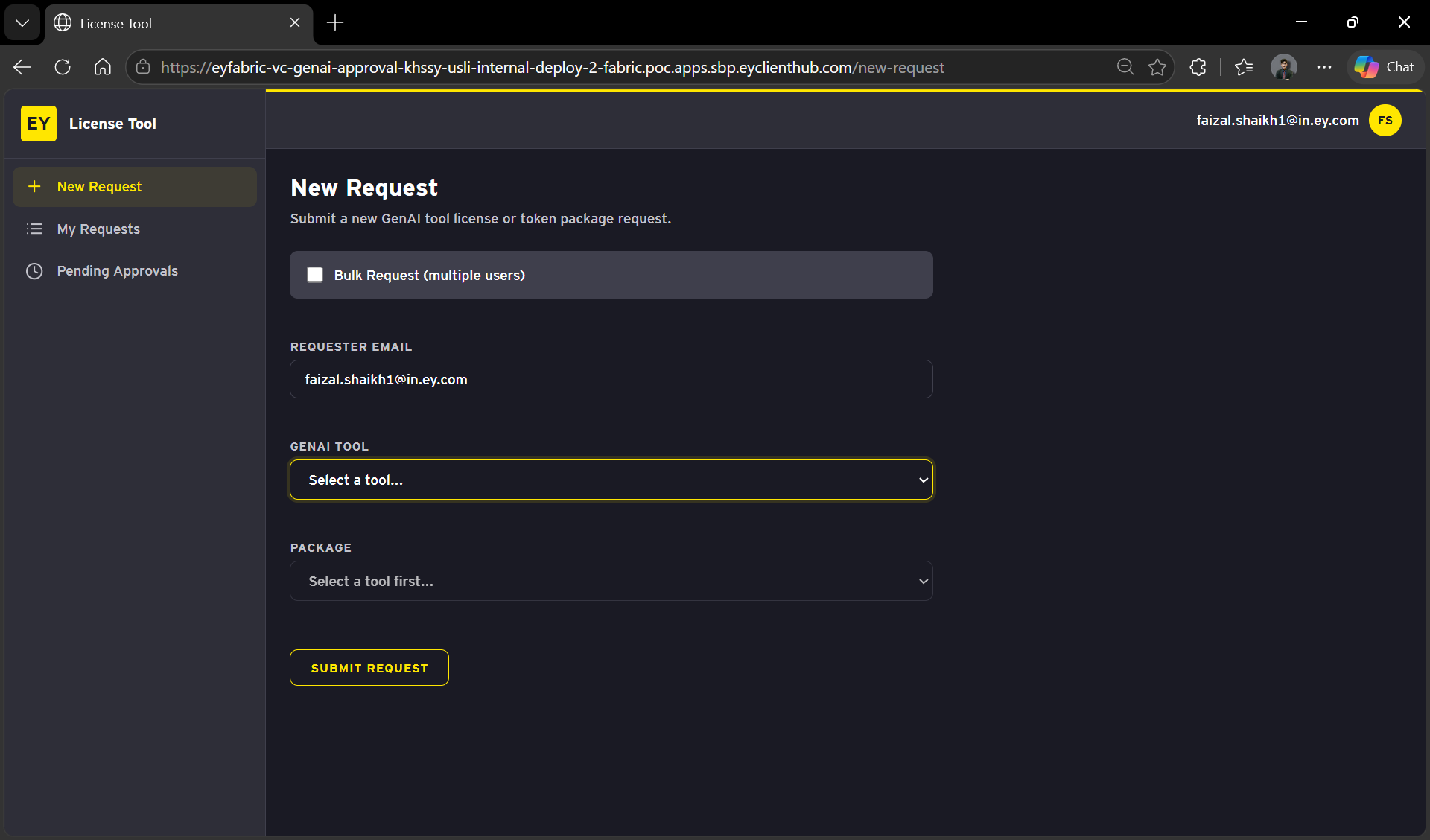
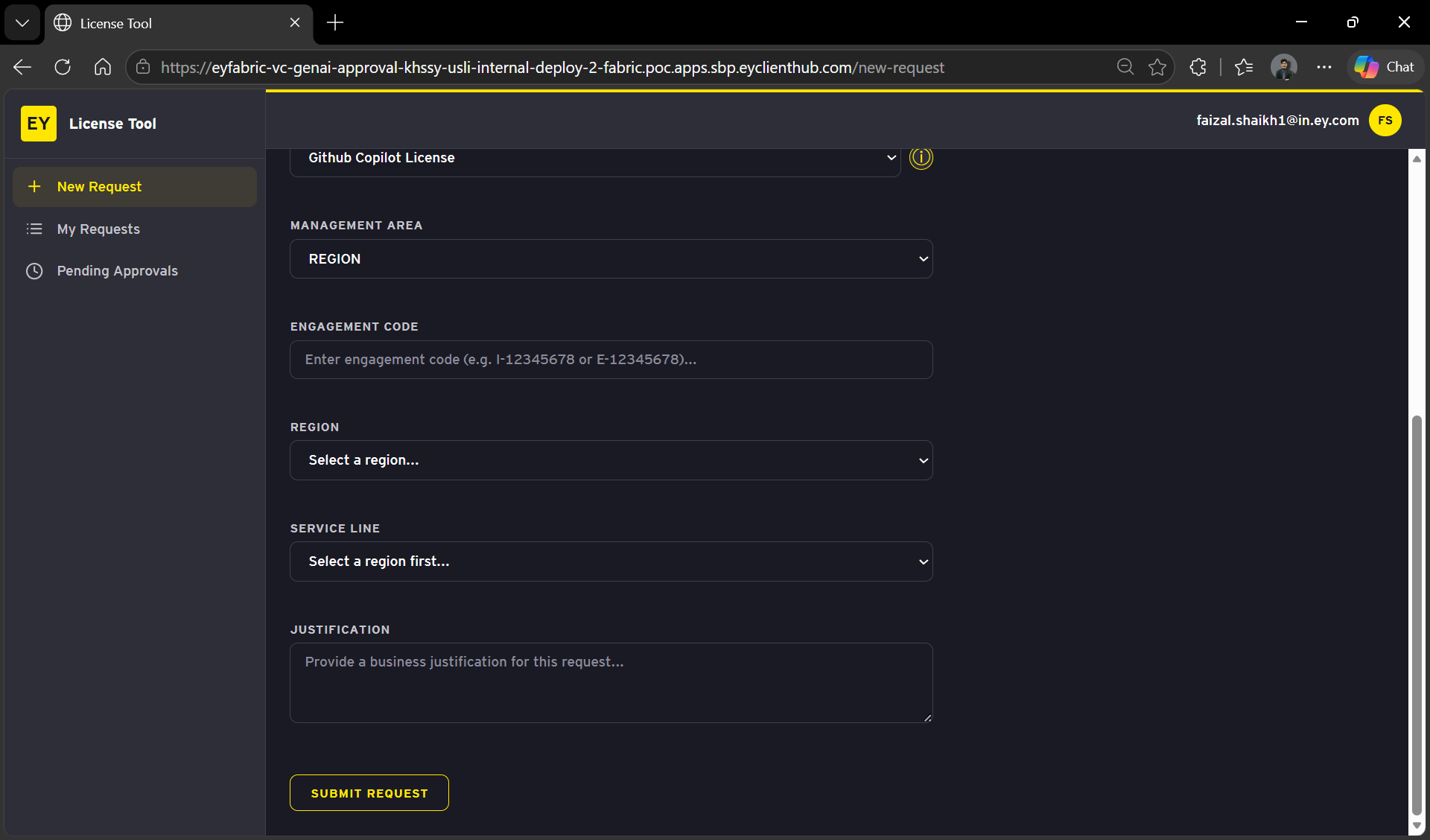
Select
NOTE:Github CopilotThereis a known issue ofFrom the'DeveloperGenAIToolstool-dropdownLicense
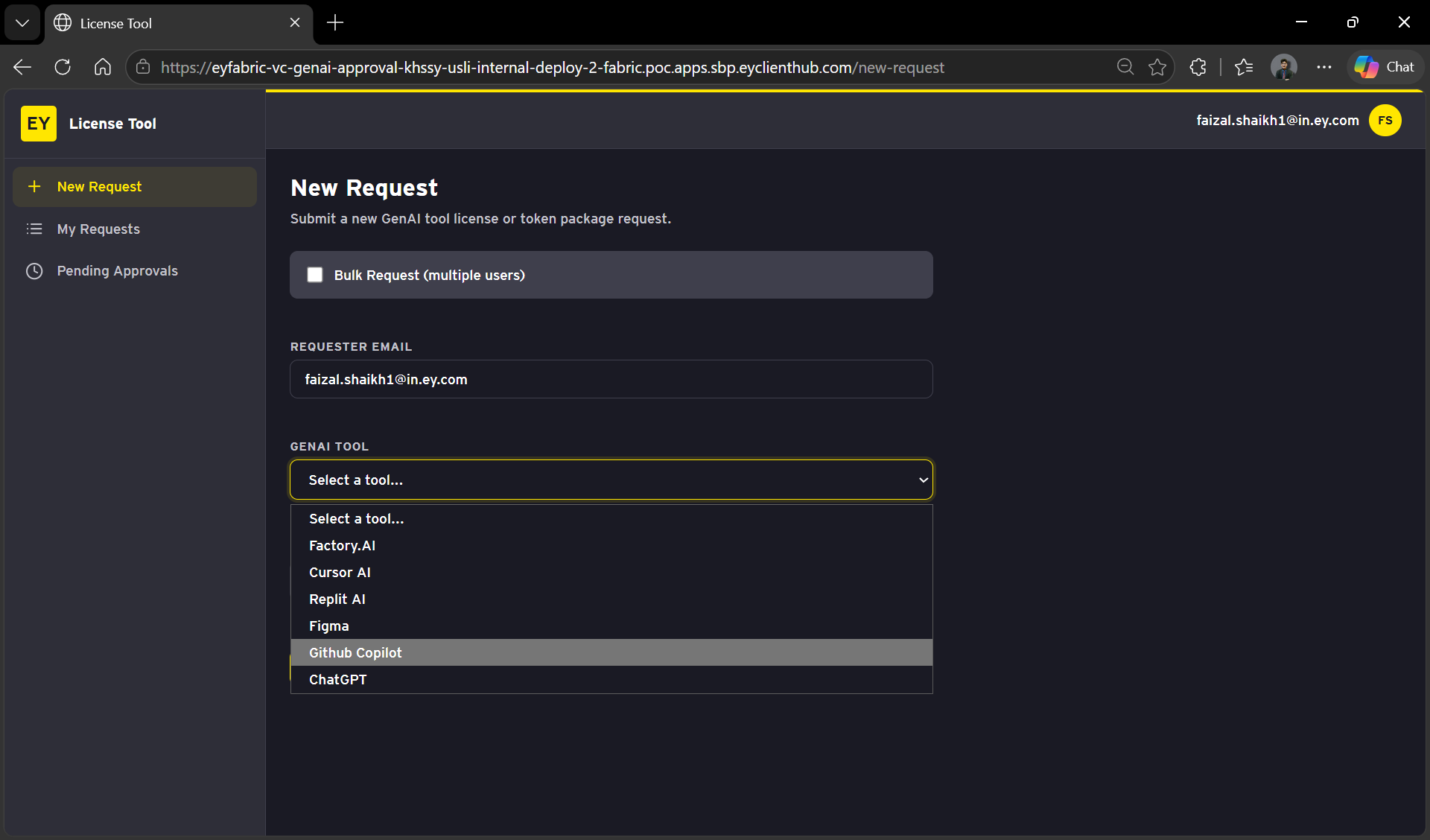
Select
AddingGithubBillingCopilotProjectLicense(Optional)From the package
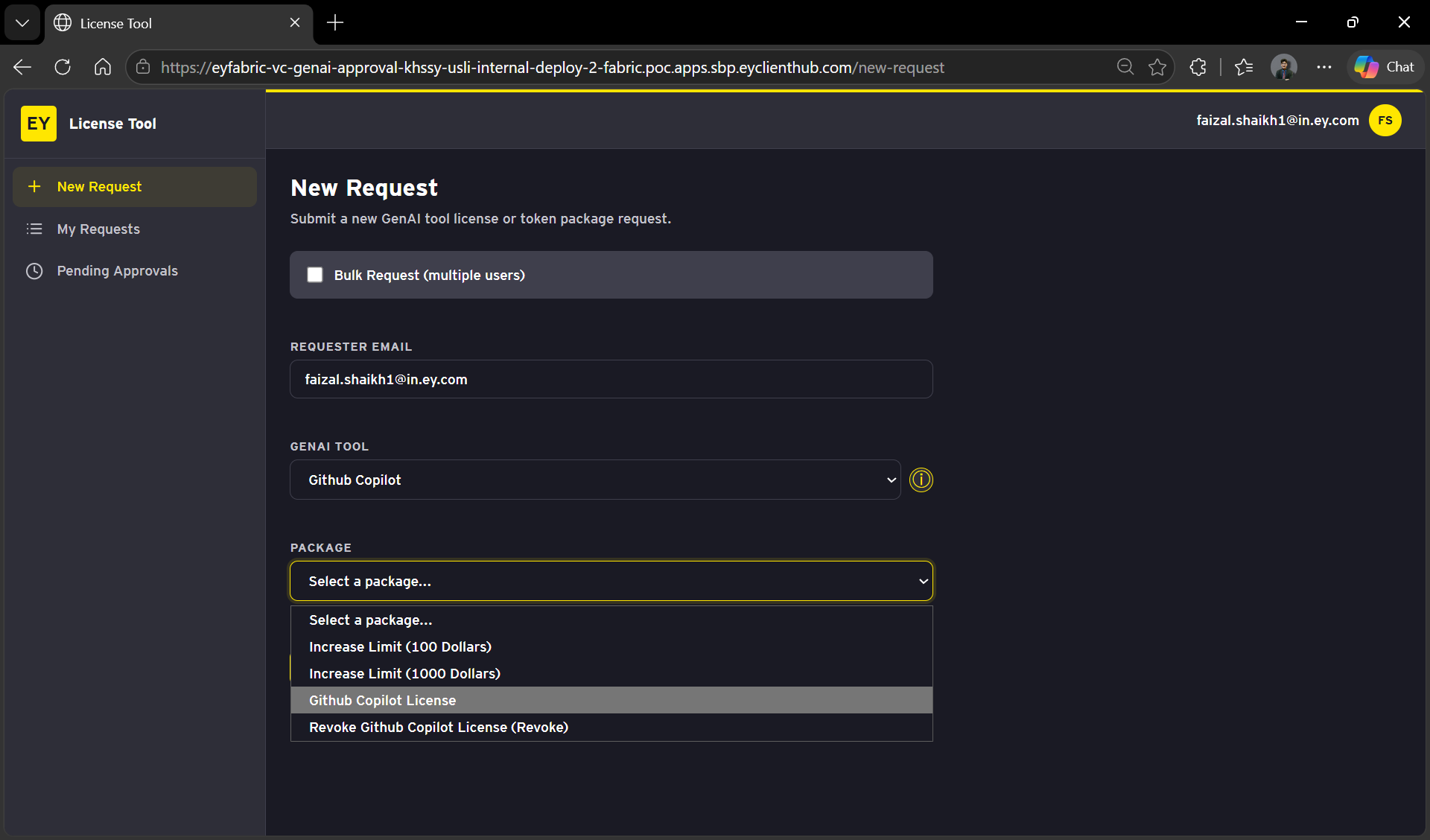
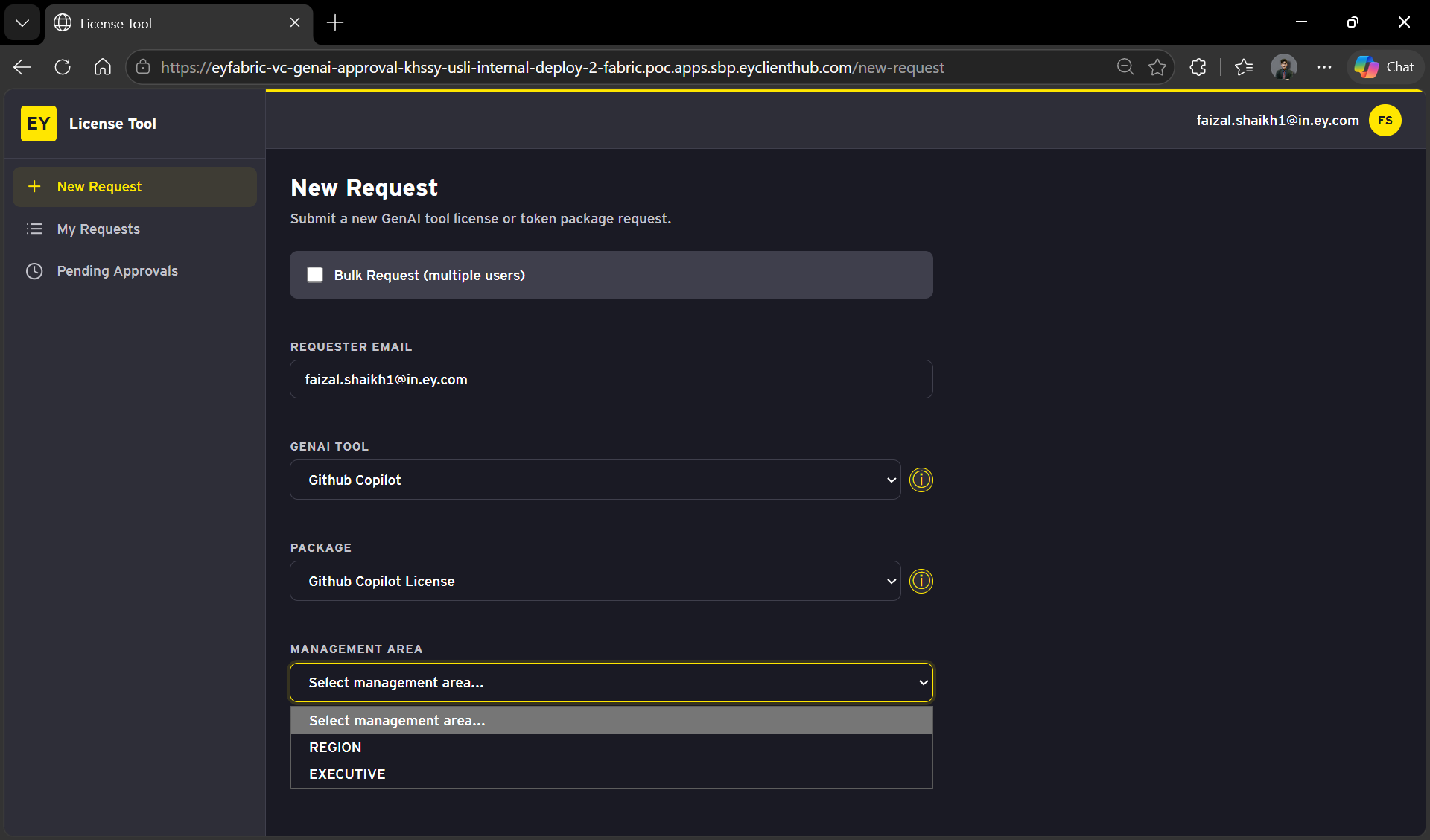
Select Your Management Area from the options below
After selecting the area, you will be prompted to enter additional details.
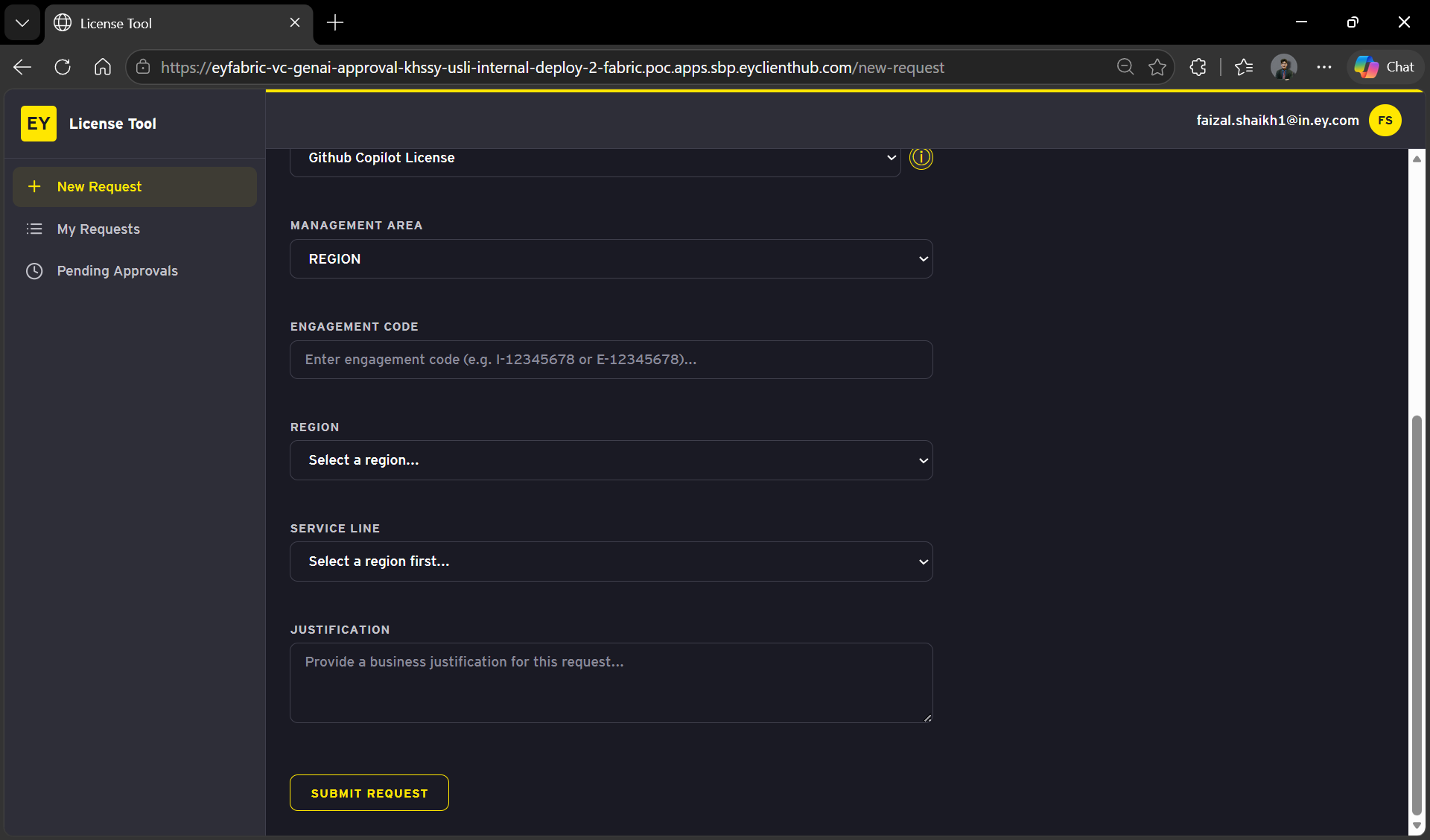
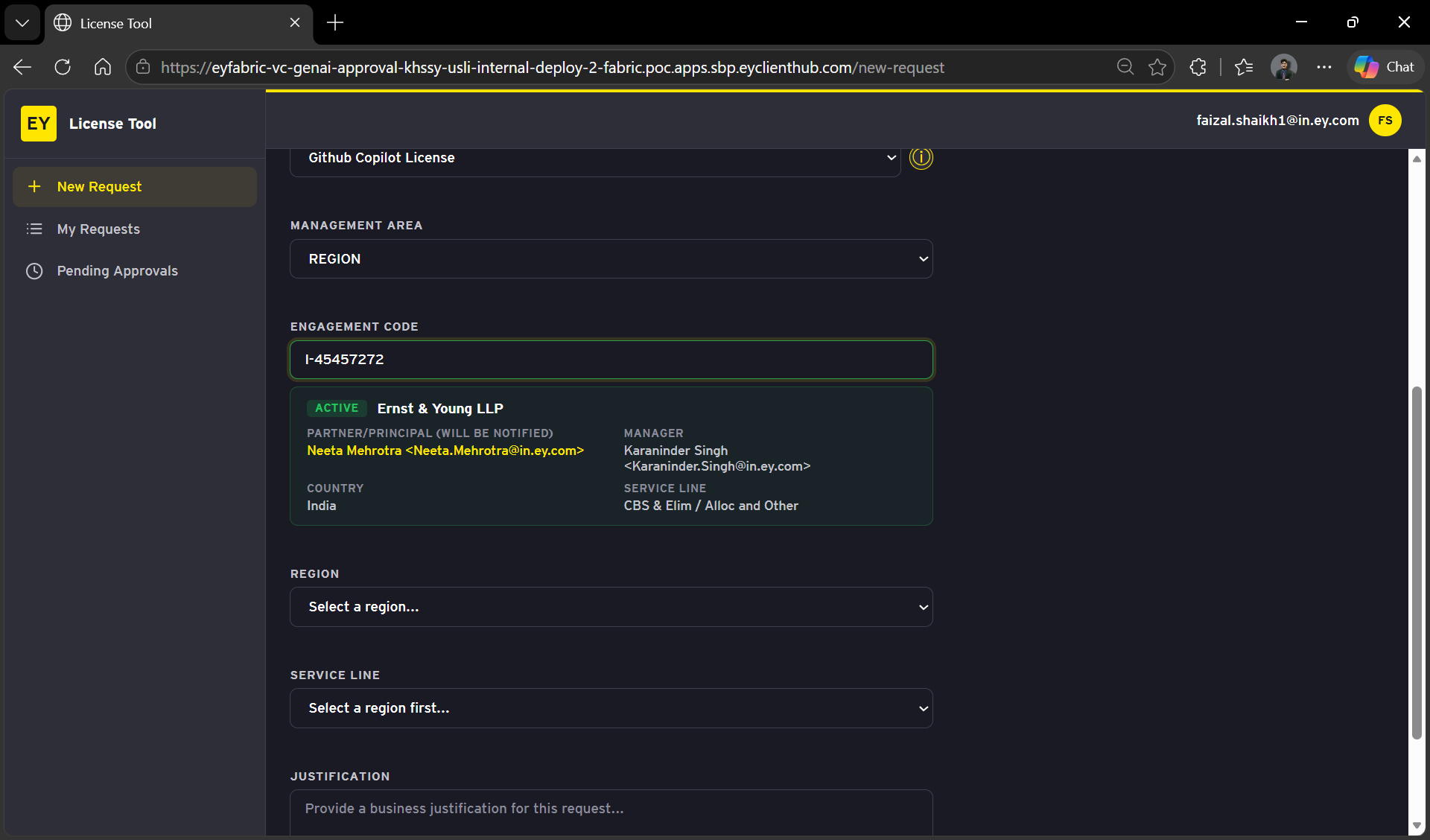
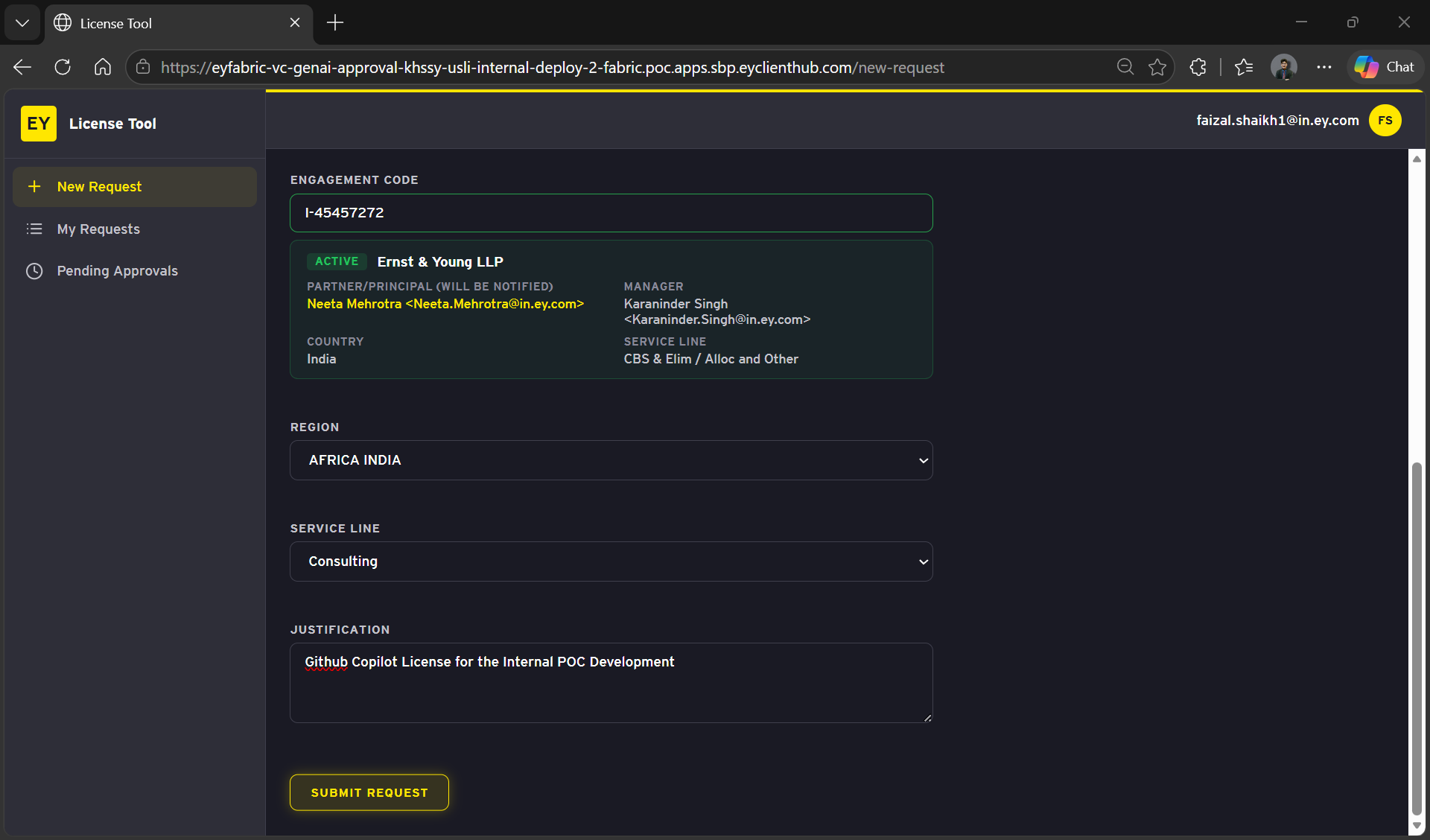
Enter the required fields:
- Engagement Code
- Region
- Service Line
- Business Justification
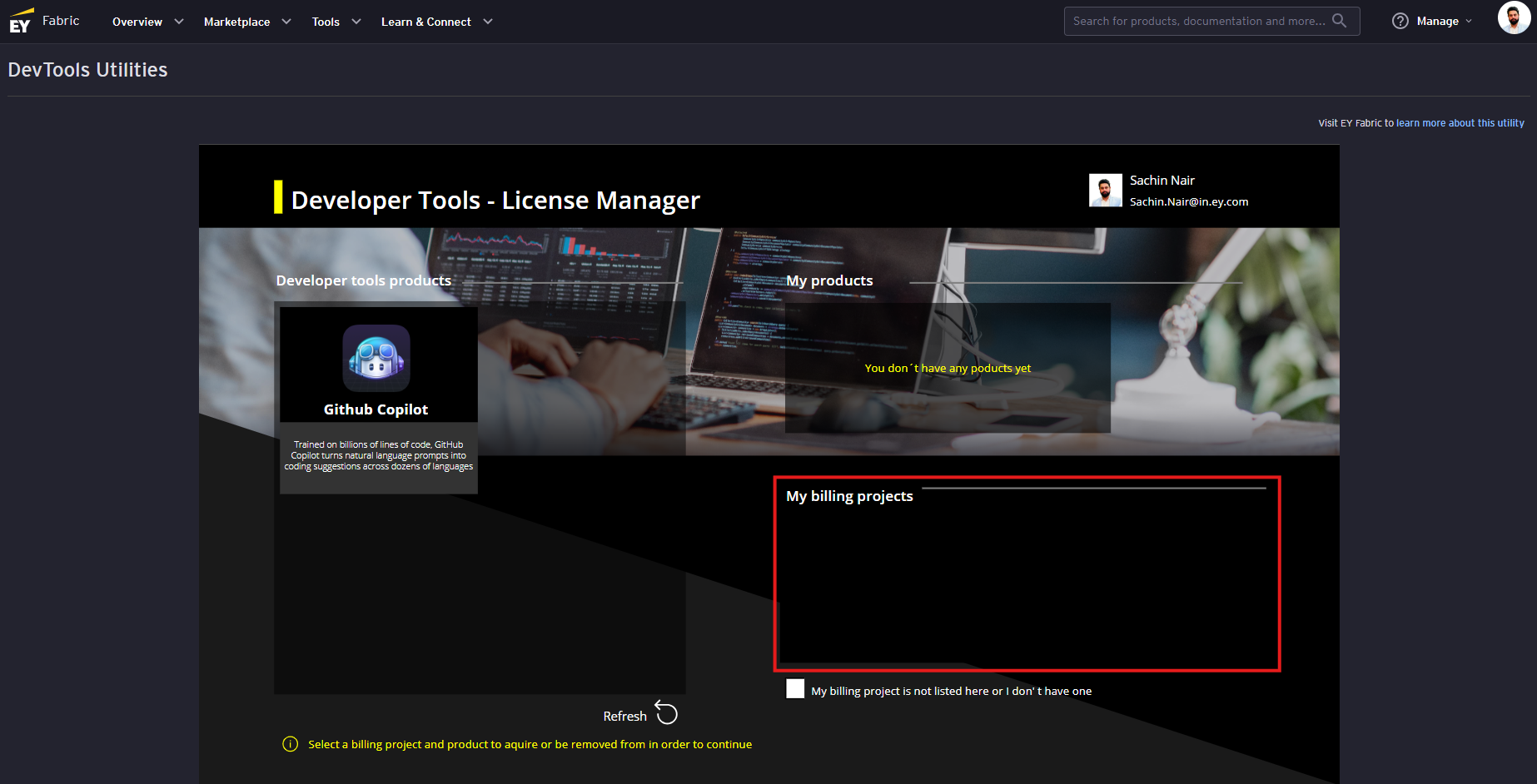
NOTE: A valid billing project with an Engagement Code is required for GitHub Copilot access(As of now, we are not sure if the Copilot cost will be charged to the project code or not).This step needs to be performed only if a valid billing project doesn't appear on 'My billing Projects' section (as seen in below image)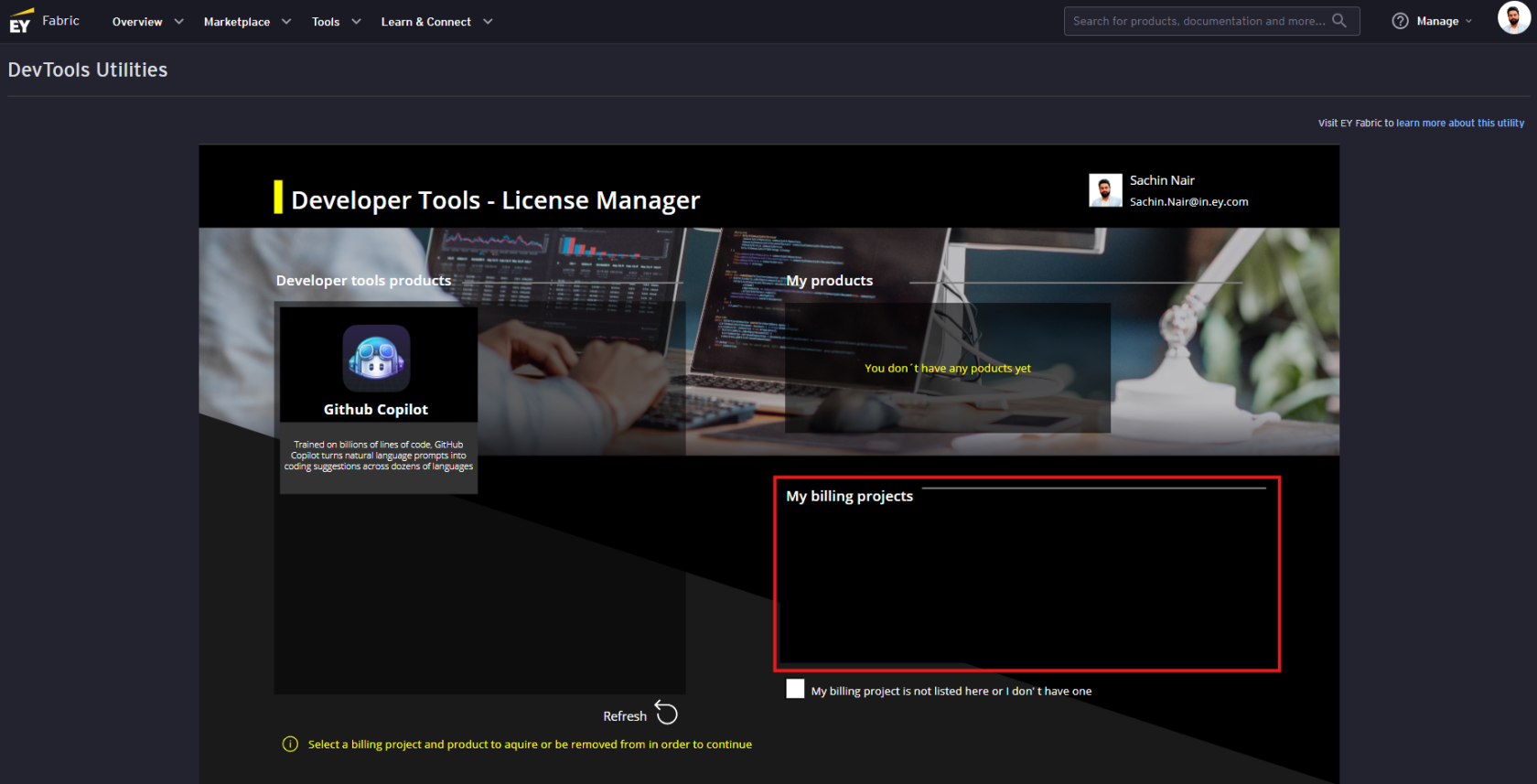
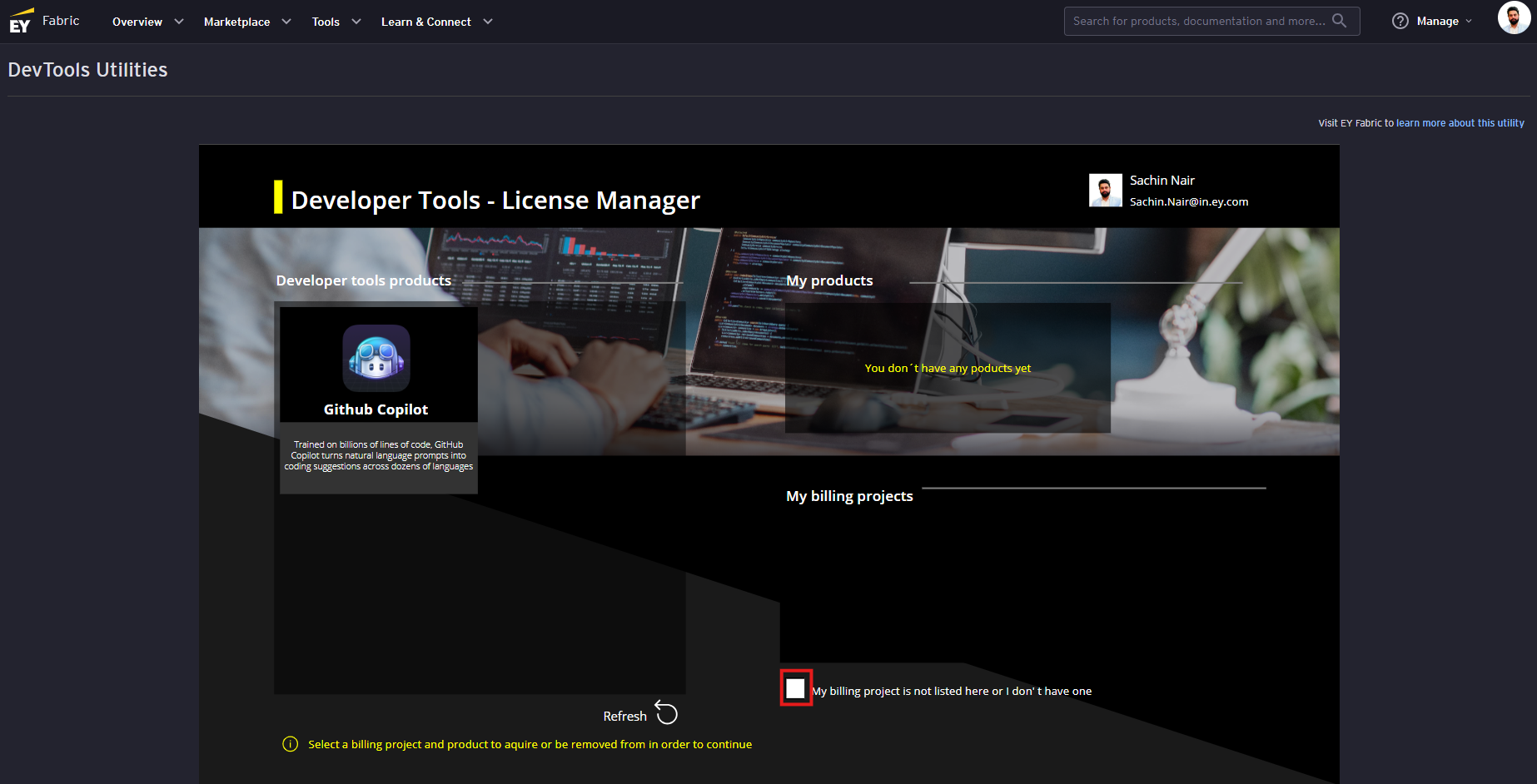
Click on the 'My billing project is not listed here or I don' t have one' checkbox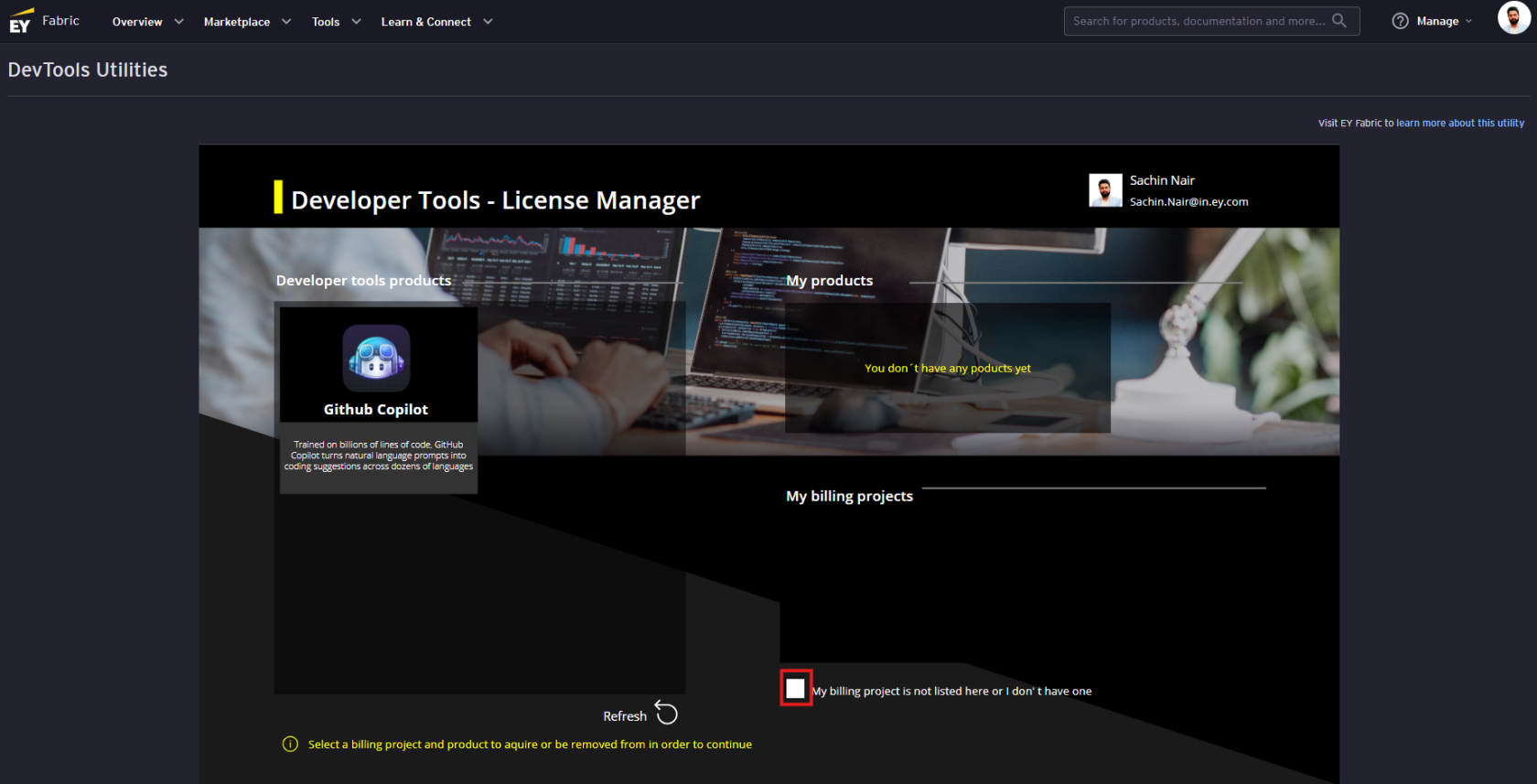
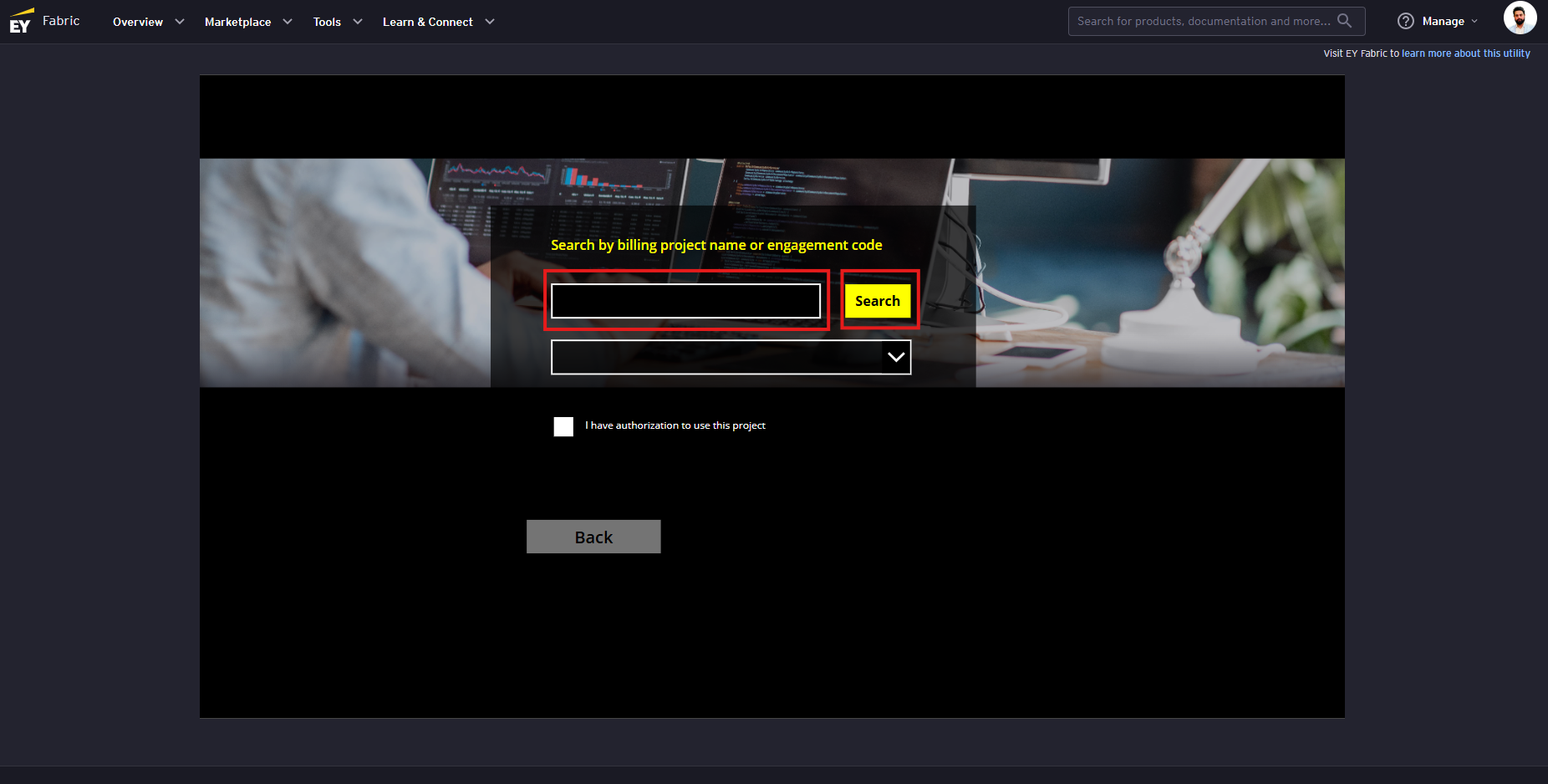
Enter the engagement code of your project in the search box and click on the 'Search' button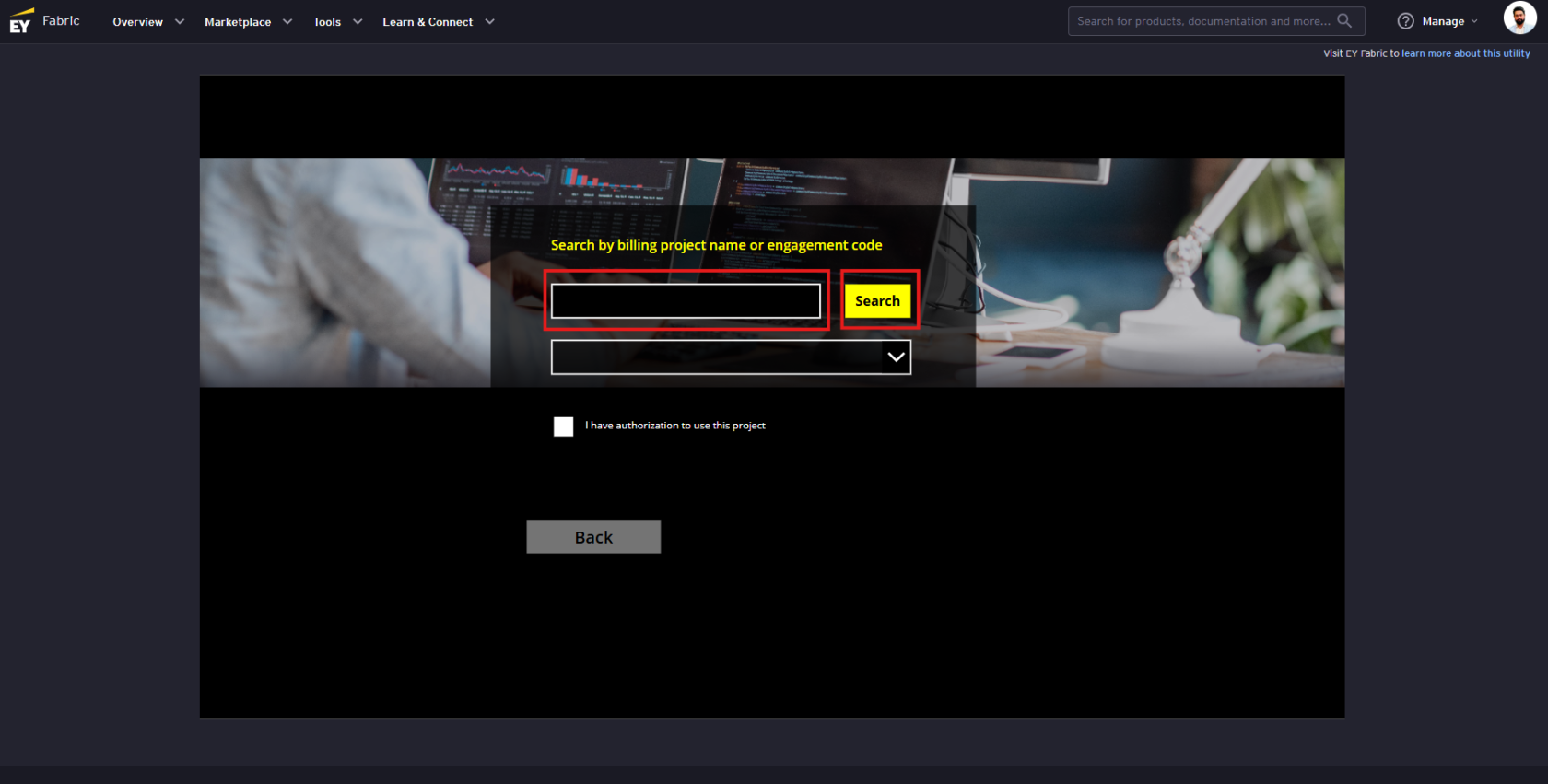
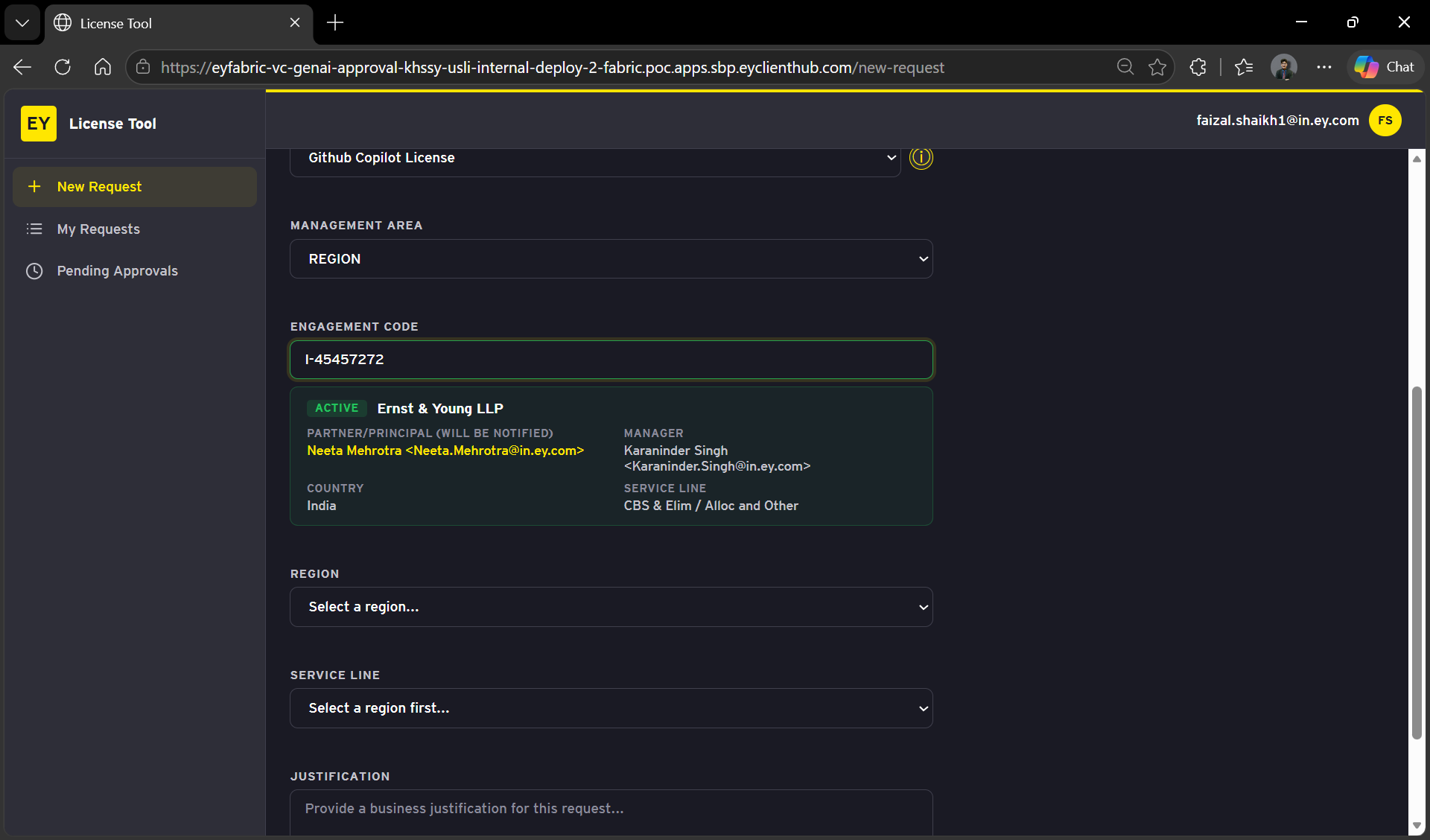
DISCLAIMER: Please use your own project code for requesting GitHub Copilot access. Strictly use the training code displayed in the image below only if your own project code doesn't work and you are unable to raise access.
Once
Review the project information loads, click on the 'I have authorization to use this project' checkbox and clickproceed onwith 'Add'by buttonClicking `Submit Request`.
Requesting 'GitHub Copilot' access
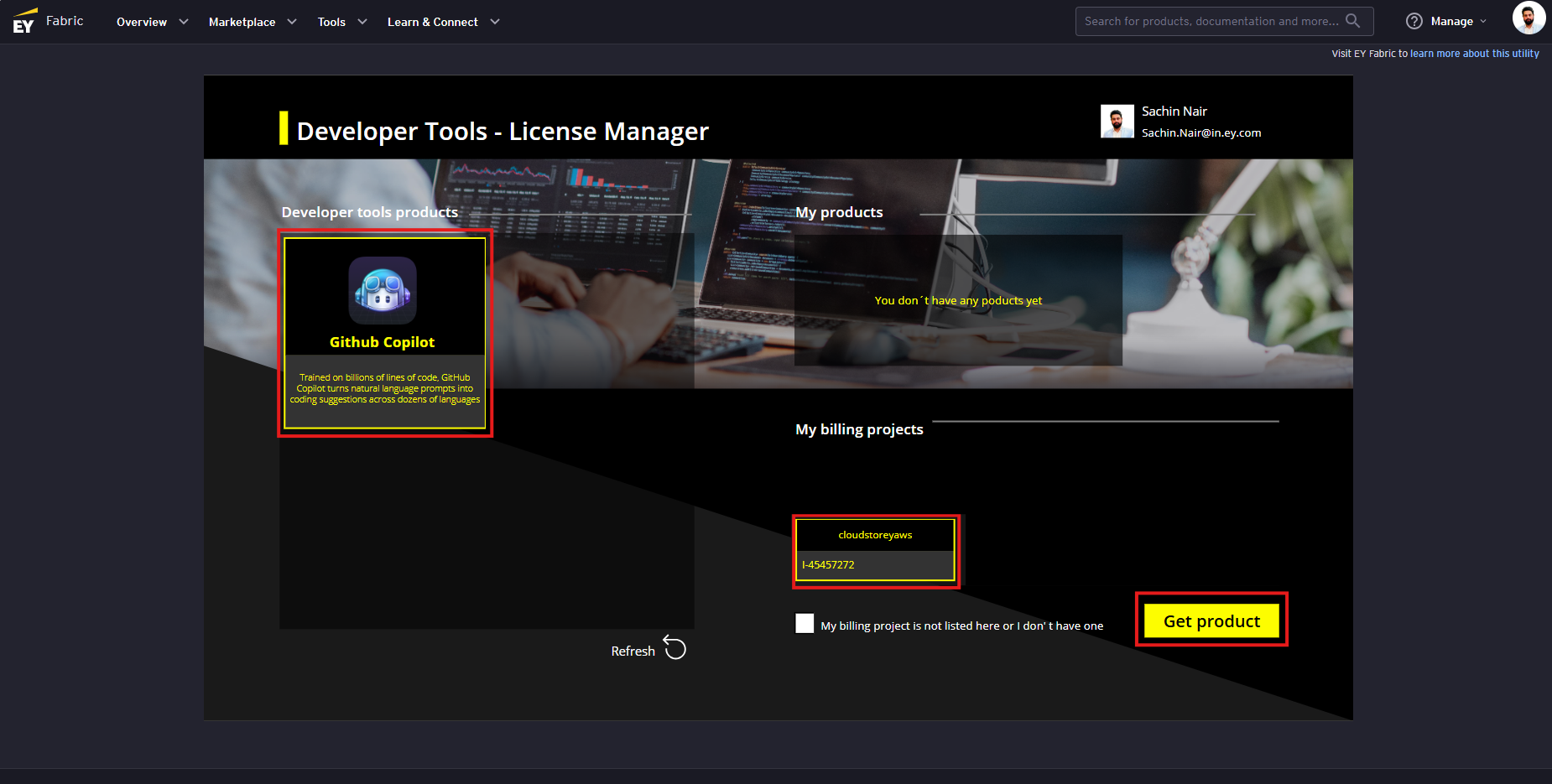
Click on the 'GitHub Copilot' card under the 'Developer tools products' section and then the billing project and finally on the 'Get Product' button (The 'Get Product' button is only visible once you have selected GitHub card and the project)
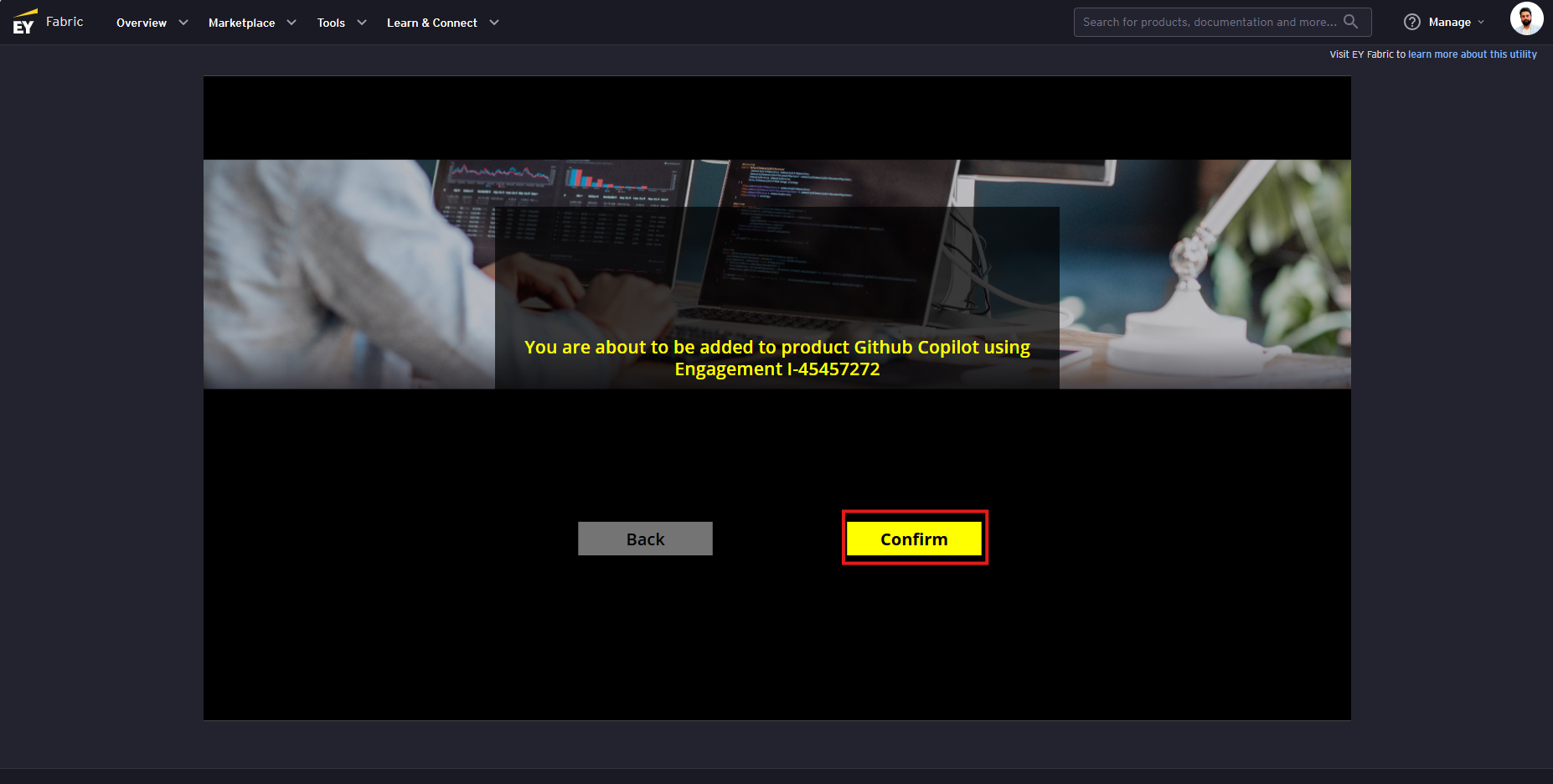
Click on the 'Confirm' button
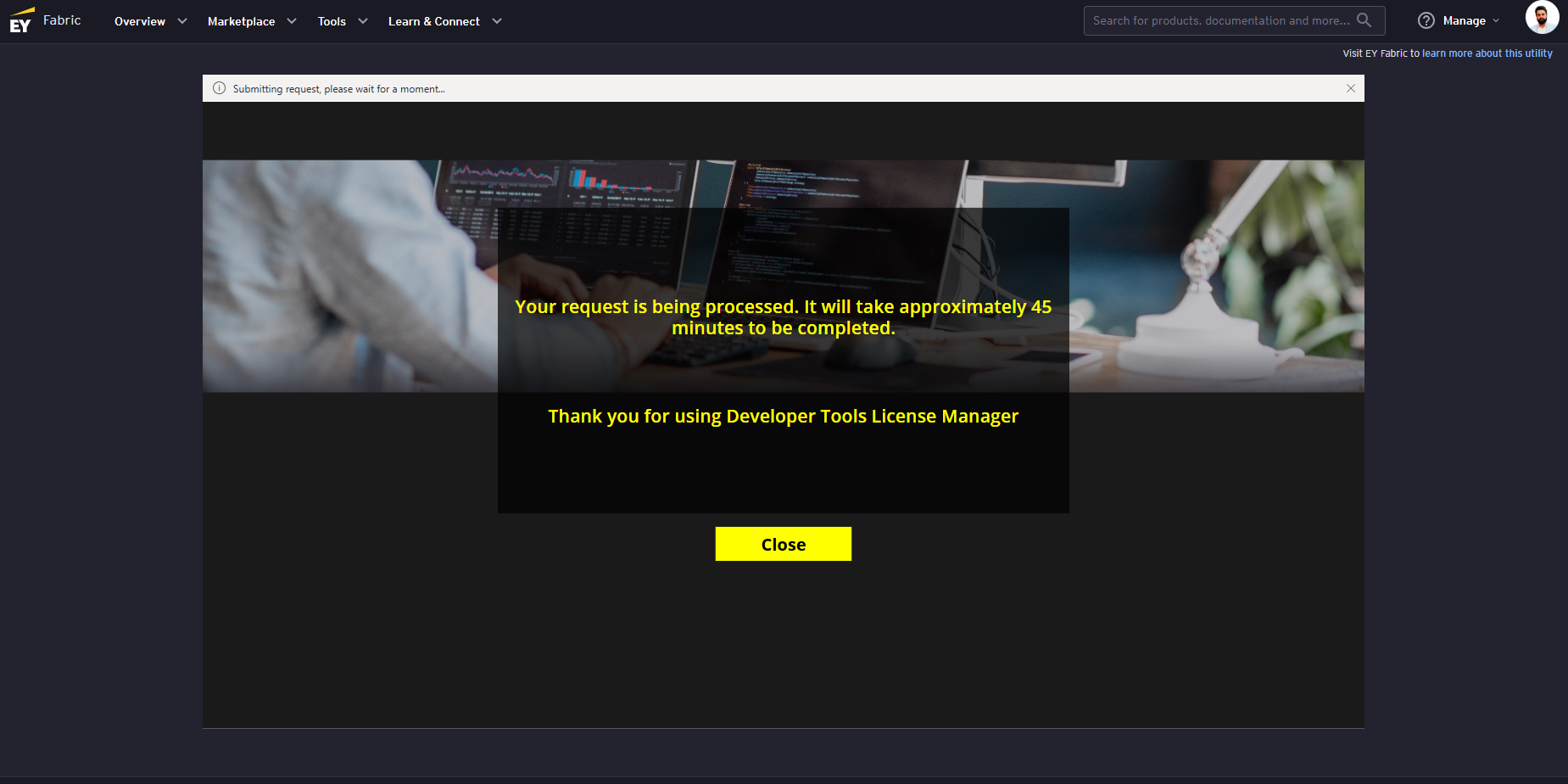
A request is being processed popup will appear
Track Request Status
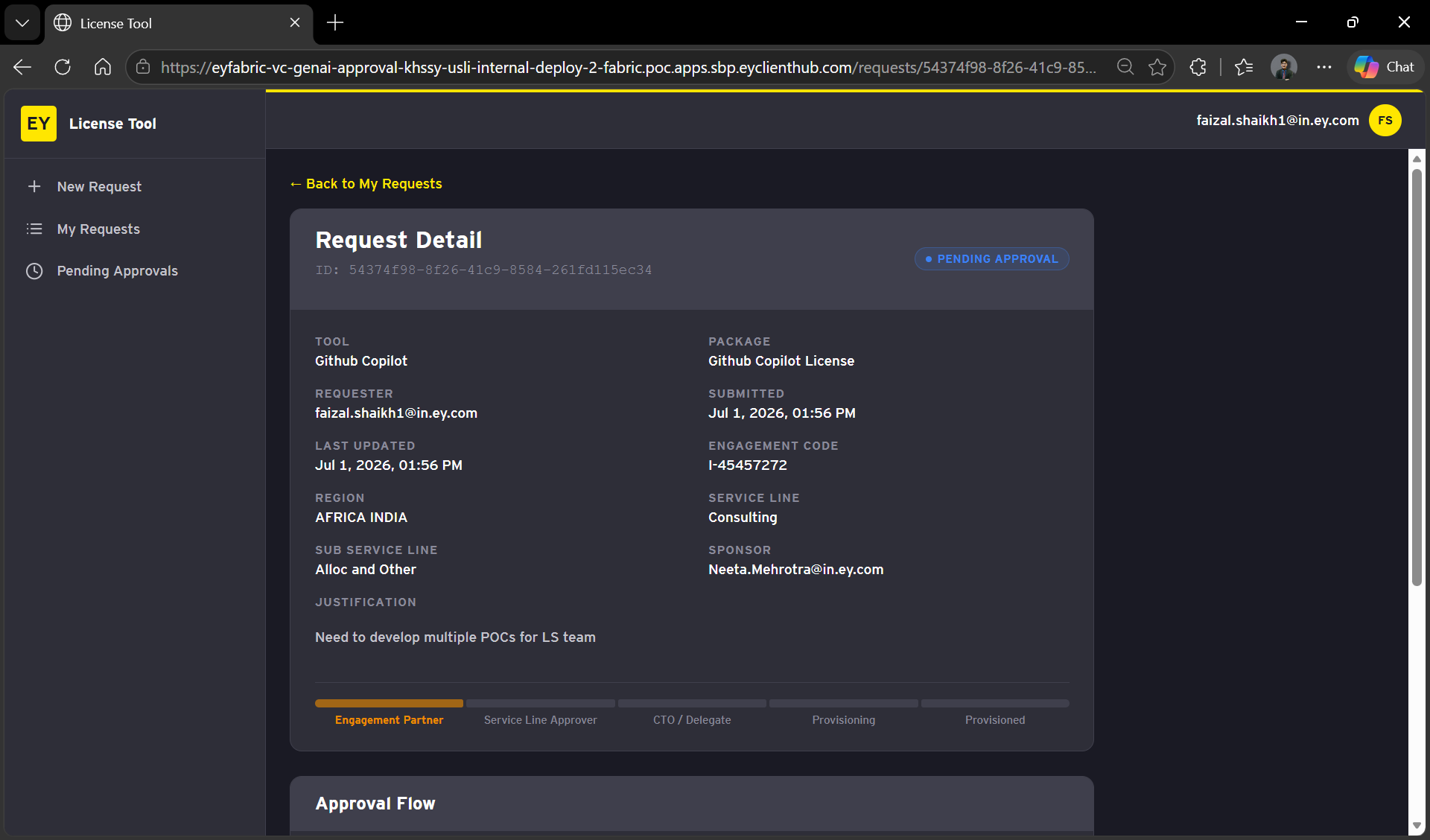
After you submit the request, it will appear under My Requests.
Wait
for 10 - 45 minutesfor the access to be provisioned
Post requesting access to GitHub copilot, the access provisioning usually gets completed within 10-15 minutes but in worse case scenario it might take 45 minutes as well.
Verify GitHub Copilot Access
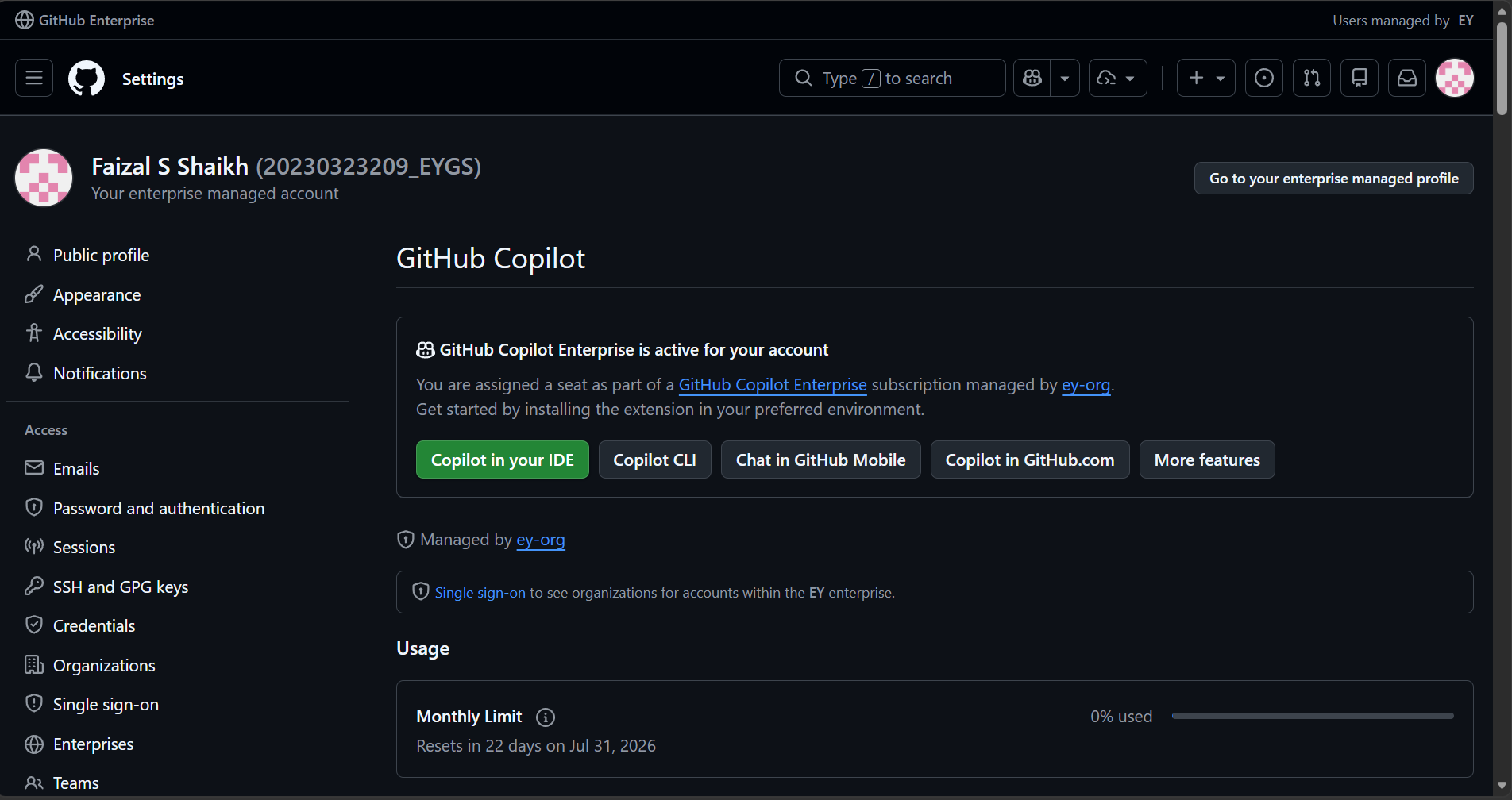
To verify if the GitHub Copilot access has been provided, navigate to the following link:
LINK: https://github.com/settings/copilot/features
User should be able to login using the EY Single Sign-On (SSO)
If the page mentions 'GitHub Copilot Enterprise is active for your account' then the enterprise access has been provided for your account.